CN

×

keywords:

xxxx1 xxx2 xxx3 xx4 copy
Reliable LED Display Manufacturer | LED Screen Supplier-Meiyad Reliable LED Display Manufacturer | LED Screen Supplier-Meiyad

Honor

Our Products

Our Products

Flexible LED Screen

Flexible LED Screen

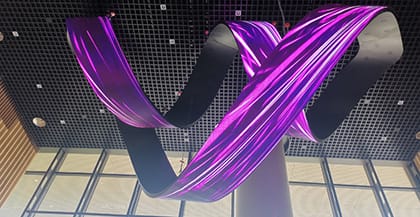
Meiyad flexible led screens have range of sizes to meet your display needs. Various customizable shapes (concave /convex /wave / cylinder) according to customer needs. Installation in front/rear according to site conditions, supports hanging, wall-mounting and stacking installation.

Details
Creative Customized Screen

Creative Customized Screen

Meiyad specializes in designing and manufacturing unique LED screens, including Immersive LED CAVE, cube LED screen, circular LED screen, letter-shaped LED screen, pop can LED screen, sphere LED screen, and more. Realize your eye-catching design.

Details
LED Display Module

LED Display Module

We offer a wide range of LED display modules, catering to both indoor and outdoor applications. We have indoor 320*160mm (P1.25-P5), 256*256mm (P4 P4.74), 192*192mm (P3-P6). Outdoor 320*160mm (P2.5-P10), 192*192mm (P3 P6). Single color (P10 P4.75 P5).

Details
Fine Pitch LED Screen

Fine Pitch LED Screen

Meiyad fine pitch LED displays offer a diverse range of options to meet various high-definition display needs. With seamless splicing, our displays deliver immersive and vivid visuals, making them ideal for control rooms, conference halls, and high-end commercial applications.

Details
Transparent LED Screen

Transparent LED Screen

Meiyad transparent LED displays include regular transparent screen, transparent film screen, transparent flex screen and holographic transparent screen. With high transparency and stunning visual effects, they are widely used in glass curtain walls, glass guardrails, glass windows, interior decoration.

Details
Fixed LED Screen

Fixed LED Screen

Meiyad fixed LED screens include indoor fixed installation screen, outdoor fixed installation screen, front & back maintenance screen and energy-saving screen. Designed for long-term use, they integrate seamlessly into diverse environments, delivering unmatched visual experiences.

Details
Flexible LED Screen
Creative Customized Screen
LED Display Module
Fine Pitch LED Screen
Transparent LED Screen
Fixed LED Screen
Solutions

Solutions

Creative Customize
CAVE Immersive
Naked-eye 3D
DOOH
Commercial Display
Exhibition Display
Rental & Staging
  • Creative Customize
  • CAVE Immersive
  • Naked-eye 3D
  • DOOH
  • Commercial Display
  • Exhibition Display
  • Rental & Staging
  • 01
  • 02
  • 03
  • 04
  • 05
  • 06
  • 07
07

About Meiyad

Shenzhen Meiyad Optoelectronics Co., Ltd. was founded in 2011, national high-tech enterprise which is focusing on R&D, manufacturer, sales and service of LED display. Four production bases in Shenzhen, Hubei, Guangxi and Sichuan, more than 600,000sqm and more 3,500 employees.

Meiyad’s products are widely used in indoor & outdoor commercial media, sports venues, stage performances, special-shaped creativity and other application fields. More than 30,000 successful cases and spreads in hundreds of countries on overeseas, Meiyad had won trust of internationally renowned brands and captured tens of millions of audiences.

Discover More
67ceffd2d431bfde19dc8398c11320c7.jpg

Shenzhen Headquarters

Guangxi Guilin Production Base

Hubei Daye Production Base

Sichuan Panzhihua Production Base

News

News

Company News
Industry News
Technical Exchanges

Four-Sided Immersive LED Installation at FM Global Centre, Singapore

06|07|2026
Four-Sided Immersive LED Installation at FM Global Centre, Singapore
Discover More

Four-Sided Immersive LED Installation at FM Global Centre, Singapore

06|07|2026

Meiyad has delivered a four-sided immersive LED display project for FM Global Centre in Singapore, creating a fully integrated digital environment through P1.8 XC COB LED screen technology.The installation is composed of front, left, right, and ceiling LED surfaces, forming a complete spatial visual system that enhances architectural depth and digital interaction.The front screen measures 6600*3037.5 mm, serving as the main visual focus of the space. The left and right screens, each sized at 3000*3075.5 mm, extend the visual continuity on both sides. The ceiling screen measures 5400*2362.5 mm, completing the top enclosure and strengthening the immersive experience.Built with XC 1.8 COB LED panels, the system ensures stable performance, precise image expression, and reliable operation for long-term use in high-end commercial environments.This project demonstrates Meiyad’s capability in delivering complex multi-surface LED solutions that combine structural precision with immersive visual design, redefining how digital content integrates with architectural space.

Flying & Dome Theaters Transformed by Meiyad Acoustically Transparent Cinema LED Display Solution

11|06|2026

What is an Acoustically Transparent Cinema LED Display?Difference Between Standard LED Displays and Acoustically Transparent LED DisplaysTraditional LED screens block sound and may cause echo in dome theaters.Acoustically transparent LED screens use micro-hole design to let sound pass through while keeping excellent image quality. Suitable for: flight cinemas, science museums, cinemas, dome theaters and planetariums.Sound Transparency Beyond Flat ScreensSound transparency is the core technology of dome screens, solving on-site echo issues.What are the technical advantages of acoustically transparent cinema LED screens compared to traditional cinema screens?High Brightness: LED self-illumination, far brighter than projectors.High Contrast: Clearer image layers, enhanced color performance.High Uniformity: Consistent visual quality, stronger immersion.HDR: Only LED cinema screens support DCI-standard HDR.High Grayscale: Smoother color transitions, better shadow details.Wide Viewing Angle: Optimal viewing experience.Anti-Interference: Immune to sunlight and ambient light interference (unlike traditional screens).Modular Design: Modular structure for easy installation and maintenance.Long Lifespan: Reliable LED chips, no periodic light source replacement required.No Projection Room Required: Self-emissive screen eliminates the need for a projection room, boosting profit margins.Transparent Acoustic Cinema LED Screen vs DLP Cinema ScreenParameter ComparisonAcoustically Transparent Cinema LED ScreenDLP Cinema + Silver ScreenPeak BrightnessBright: 300nit (88fL)Dark: 30~100nit (10~42fL)Screen Black LevelPure Black: Absolute”0”Not Black Enough: 0.030nitReflectivity"Black Screen": 10% (Gain 0.1) "White Screen": 240% (Gain 2.4)Minimum Gray-Level BrightnessHDR: 0.005nitSDR: 0.010nitOverall Contrast RatioTransparent Image: 60000:1Non-transparent Image: 2000:1Diffusion Angle/UniformityPerfect Uniformity: 160°Uneven Image: <50°Tips: Traditional high-end cinema screens can only achieve the DCI-SDR standard, while only LED cinema screens can achieve the higher DCI-HDR standard.Features of Acoustically Transparent Cinema LED ScreenMIP LEDs (Optional)For conventional cinemas, 300 nits brightness is sufficient.For daily indoor non-cinema applications, MIP LEDs are recommended (with brightness ranging from 650 to 850 nits).Standard Module Sizes & CustomizationThe standard module size is 320 x 160mm, with support for customized dimension designs to meet different project requirements.Customized Sound-Transparent Module for Dome ScreensAluminum Profile CNC Process CabinetThe cabinet is precision-manufactured using CNC technology, ensuring ultra-high flatness. Its unique structural design delivers excellent heat dissipation performance, guaranteeing stable equipment operation.High Dynamic Range (HDR) TechnologySupports high dynamic range, high color depth, and wide color gamut, restoring colors as they are and delivering a more realistic visual experience.120Hz 3D Display TechnologyAcoustically Transparent LED Screen Open-Area Ratio Calculation (Current Version)P2.5 Acoustically Transparent LED DisplayModule: M-P2.5-22S(1010)-128X64-V1.0Hole Diameter: 1.5mmSingle Hole Area: 1.7672 mm²Total Holes: 3330 pcsTransparency: 1.7672*3330/320/160≈11.5%P3.33 Acoustically Transparent LED DisplayModule: M-P3.33-16S(1010)-96X48-V1.2Hole Diameter: 2.18mmSingle Hole Area: 3.7325 mm²Total Holes: 1716 pcsTransparency: 3.7325*1716/320/160≈12.51%P3.07 Dome Acoustically Transparent DisplayModule: M-P3(1515)-26s50x104-1.0Hole Diameter: 1.3mmSingle Hole Area: 1.3273 mm²Total Holes: 4150 pcsTransparency: 1.3273*4150/318/153.4≈19.45%P3.1 Dome Acoustically Transparent DisplayModule:M-P3.1-(1010)26S-90X156-282.42X485.77mm-V1.0 UC1-T1Hole Diameter: 1.25mmSingle Hole Area: 4.8079 mm²Total Holes: 5213pcsTransparency: 4.8079*5213/485.77/282.25≈18.23%P3.91 Dome Acoustically Transparent DisplayModule:m-p3.91(1010)-21s31x119-(u20)Hole Diameter: 2.55mmSingle Hole Area: 5.1071 mm²Total Holes: 1767pcsTransparency: 5.1071*1767/54744≈16.5%Technical Specifications of Acoustically Transparent LED ScreensStandard Acoustically Transparent LED DisplayStandard Acoustically Transparent LED DisplayModelP2.5P3.33Pixel pitch2.5mm3.33mmPixel Density(Pixles/㎡)16000090099Module Size320*160mm320*160mmDisplay SizeCustomizedCustomizedCustomization and dome screen development are supportedAcoustically Transparent Dome LED ScreenSpherical Dome Acoustically TransparentModelP2.82P3P4Pixel pitch2.82mm3mm4mmPixel Density(Pixles/㎡)12574811111162500Module Size500*250mm WithinDisplay SizeCustomizedØ25mØ17mApplications of Acoustically Transparent LED DisplaysFlight CinemasScience MuseumsCinemasDome TheatersPlanetariumsConclusionMeiyad’s acoustically transparent cinema LED solution is transforming the experience of flying theaters and dome theaters. By combining high brightness, ultra-clear resolution, and sound-permeable technology, it overcomes the limitations of traditional screens, delivering a more immersive, dynamic, and interactive visual experience. This innovative solution also offers greater flexibility in theater design, supporting customized content and spatial layouts, making every screening a unique sensory journey.

Meiyad Continues to Shine on Day 2 of SEAMEX 2026 in Malaysia

22|05|2026

Today marks the second day of SEAMEX 2026 in Malaysia, and Meiyad continues to attract strong attention from visitors, partners, and industry professionals across Southeast Asia.At Booth A033, Meiyad is showcasing a wide range of innovative LED display solutions, including the high-end SK Rental LED Screen, COB LED displays, SMD LED displays, and GOB LED display technologies. These products demonstrate Meiyad’s professional capabilities in stage rental, commercial display, cultural tourism, and immersive audiovisual applications.Throughout the exhibition, Meiyad’s booth has welcomed many customers and industry partners who showed great interest in the outstanding visual performance, seamless display quality, and creative customization solutions of our LED displays. The event also provides an important platform for Meiyad to strengthen cooperation with Southeast Asian clients and further expand our presence in the regional market.As SEAMEX 2026 enters its final day tomorrow, Meiyad warmly welcomes more visitors to Booth A033 to explore our latest LED display technologies and discuss future cooperation opportunities.We sincerely appreciate the support and trust from all customers, partners, and visitors, and we look forward to creating more innovative audiovisual experiences together.Exhibition: SEAMEX 2026Booth: A033Location: Borneo Convention Centre Kuching, Malaysia

How Can LED Letter Displays Help Increase Foot Traffic to Your Store?

29|09|2025
How Can LED Letter Displays Help Increase Foot Traffic to Your Store?
Discover More

How Can LED Letter Displays Help Increase Foot Traffic to Your Store?

29|09|2025

In the world of modern retail, LED letter displays have emerged as one of the most effective tools to capture attention, communicate with customers, and boost foot traffic to your store. As businesses increasingly rely on dynamic, engaging advertising solutions, LED letter displays have redefined how stores connect with customers in both functional and creative ways.This article will explore how customizable letter LED displays can help increase visibility, engage customers, and ultimately drive more foot traffic to your retail location.Why Choose LED Letter Displays for Your Store?LED letter displays are more than just a way to show text—they represent a dynamic, customizable solution that can transform any storefront or interior space. Whether you're looking for an LED letter board to highlight promotions or a digital letter signage system to deliver timely messages, LED letter displays provide endless possibilities for communication.Key Benefits of LED Letter Displays:BenefitDescriptionHigh VisibilityLED letter displays attract attention even from a distance, ensuring that your message is seen by more potential customers.CustomizationWith custom LED letter signs, you can display anything from store hours to seasonal promotions, ensuring your messages align with your branding and needs.Energy EfficiencyLED displays consume far less energy compared to traditional signage, making them an eco-friendly choice.Real-Time MessagingYou can update your digital letter signage remotely, allowing you to quickly communicate changes like sales, events, or special offers.Aesthetic AppealLED letter boards bring a modern, artistic touch to your store's exterior and interior, enhancing the overall aesthetic of your space.How LED Letter Displays Attract More CustomersOne of the primary reasons LED letter displays are so effective in increasing foot traffic is their ability to capture attention. Traditional signs often struggle to stand out in a crowded marketplace, especially in busy areas with many competing stores. On the other hand, LED displays are dynamic and constantly changing, which makes them visually compelling.1. Dynamic and Interactive MessagingWith customizable letter LED displays, you can create dynamic content that evolves over time, such as changing messages, animations, or promotions. This helps capture attention and keep your store's messaging fresh and engaging. LED letter boards allow for the display of time-sensitive information, such as flash sales or event reminders, ensuring that customers are always informed and encouraged to visit your store.2. Highlight Key Offers in Real-TimeAs a business owner, you may have ongoing promotions, flash sales, or seasonal events. Traditional signs may not adequately highlight these offers, but digital letter signage can showcase these messages in real time. This gives you the flexibility to adjust the content based on customer needs or store traffic.Type of PromotionLED Letter Display BenefitSeasonal PromotionsPromote limited-time deals effectively with vibrant, animated content.Flash SalesInstantly change the displayed message to alert customers of time-sensitive offers.Store AnnouncementsUpdate customers about events or new arrivals in real-time.The Impact of Customization on Customer EngagementWhen it comes to branding and customer engagement, custom LED letter signs are a game-changer. Customization not only allows you to maintain a cohesive brand image but also creates a unique visual experience for your customers.Enhance Brand Identity with CustomizationWith customizable letter LED displays, you can tailor your content to reflect your brand’s personality. Whether you want a sleek, modern design for a high-end boutique or a vibrant, fun aesthetic for a youth-oriented brand, LED letter boards can be tailored to suit any environment. This level of customization helps your store stand out from the competition and creates a memorable experience for customers.Custom FeaturesBenefitsFont & Text StyleChoose from a wide range of fonts to match your store's tone.Color OptionsUse color-changing features to catch customers’ attention or highlight important messages.Animations & EffectsAdd animated text or effects for promotions to keep the display dynamic and exciting.Maximizing Customer Retention with Engaging ContentOnce you’ve attracted customers with your eye-catching LED letter display, keeping them engaged is the next challenge. Dynamic content such as event notifications, new product announcements, and daily specials keep your messaging fresh and encourage repeat visits.Build Trust and Loyalty Through Consistent MessagingA digital letter signage system can be used to deliver consistent messages, such as store hours, customer service contact information, and important announcements. Keeping customers informed and engaged can improve their perception of your store, encouraging them to return.Real-Life Success Stories: How LED Letter Displays Increase Foot TrafficBusinesses around the world have already embraced the power of LED letter displays to enhance their marketing strategies. Here are some real-life examples:Business TypeImpact of LED Letter DisplaysRetail StoresIncreased foot traffic by 30% due to eye-catching promotions and seasonal messages.RestaurantsBoosted sales during happy hour by 25% with timely flashing drink specials displayed on LED letter boards.Event VenuesSaw a 40% increase in ticket sales when events were promoted through dynamic LED letter signage.Conclusion: A Smart Investment for Any StoreAs more businesses move toward modern, dynamic signage solutions, LED letter displays are proving to be an invaluable asset for increasing visibility and boosting foot traffic. Their customizability, energy efficiency, and ability to engage customers in real time make them a smart investment for any retail or commercial space. By integrating digital letter signage into your marketing strategy, you can stay ahead of the competition, keep your customers engaged, and maximize the potential of your storefront to drive more business.If you’re looking for a high-quality, customizable solution, Meiyad offers a range of LED letter displays designed to meet the needs of every business. Contact us today to discover how our custom LED letter signs can help your store stand out and attract more customers.

What Role Do Color SMD LED Modules Play in the Evolution of Smart City Displays?

29|09|2025

As smart cities continue to grow, the need for efficient, real-time communication in public spaces has never been greater. One of the key technologies driving this shift is the color SMD LED module. These versatile, energy-efficient displays are now widely used to enhance public information systems, create interactive experiences, and support dynamic signage in urban environments. In this article, we’ll explore how color SMD LED modules are becoming a crucial part of the smart city ecosystem and how they are changing the way cities interact with residents and visitors.What Are SMD LED Modules?SMD LED modules are small, highly efficient light-emitting devices that use Surface Mount Device (SMD) technology to display text, images, and video in full color. They are often used in digital signage, billboards, and interactive installations due to their high brightness, low energy consumption, and durable build.Key Benefits:High Resolution: Crisp, clear displays even from a distance.Energy Efficiency: Lower energy consumption compared to traditional signage.Durability: Designed for outdoor use, withstanding harsh weather conditions.Customization: Flexible in design, adaptable to different urban environments.How SMD LED Modules Power Smart City DisplaysThe integration of SMD LED display modules into smart city infrastructure serves several essential purposes. These displays are helping cities provide better communication, improve public safety, and foster a more interactive urban experience. Here’s how:1. Real-Time CommunicationSMD LED modules are widely used in smart city displays for real-time information dissemination. Whether it’s displaying traffic updates, public transport schedules, or emergency alerts, color SMD LED modules allow cities to communicate effectively with the public. These modules can easily be updated remotely, making them ideal for time-sensitive content.Example Applications:Public Transport Stations: Displaying real-time arrivals and delays.Highways: Showing traffic conditions, road closures, or accidents.City Squares: Sharing news, weather forecasts, and emergency alerts.2. Enhancing Public Safety with Dynamic AlertsIn emergency situations, SMD LED modules can instantly display urgent messages such as evacuation routes, weather warnings, and safety tips. This dynamic content delivery ensures that the public can receive critical information when it matters most.ApplicationImpactEmergency AlertsInstant communication of dangerous situations like fires, floods, or natural disasters.Traffic ManagementReal-time updates on road closures, accidents, and detours for drivers.Public Health MessagesDisplaying urgent health information during outbreaks or public health crises.3. Interactive Engagement for Residents and TouristsColor SMD LED modules are also used to enhance the interactive experience in smart cities. These digital displays often serve as interactive kiosks, providing visitors and residents with valuable information such as:Local maps and directionsEvent schedules and tourist attractionsFacility availability (e.g., parking spaces, toilets)By enabling interactive features, cities can engage residents and tourists in a more meaningful way, offering a personalized, tech-savvy experience.4. Advertising and Revenue OpportunitiesSmart cities are not just about communication; they also open up new opportunities for businesses and local governments to generate revenue. Outdoor SMD LED display modules offer a dynamic platform for advertising in high-traffic areas. These screens can display targeted ads, promotions, and local business advertisements.Revenue Model:Advertising: Local businesses can advertise in busy urban centers.Public-Private Partnerships: Cities can partner with brands to display ads while also promoting public services.Why Choose SMD LED Modules for Smart Cities?SMD LED modules are transforming smart city displays for several reasons:1. Flexibility and CustomizationWhether for a small indoor kiosk or a massive outdoor billboard, SMD LED modules offer immense flexibility in design. They can be configured to fit various sizes and shapes, making them ideal for any urban environment.2. Sustainability and Cost EfficiencyOne of the primary reasons cities choose color SMD LED modules is their energy efficiency. These displays consume less power compared to traditional signage solutions, contributing to lower energy costs and reducing the environmental impact of cities. Their long lifespan further lowers maintenance costs, making them an economically sustainable choice for smart cities.3. Robust Outdoor PerformanceUrban environments can be tough on outdoor technology. SMD LED modules are designed to handle the challenges of outdoor environments, including direct sunlight, rain, wind, and extreme temperatures. This makes them ideal for outdoor installations like digital billboards and public displays.Case Studies: SMD LED Modules in Smart CitiesCities around the world are already leveraging SMD LED technology to improve urban life. Here are some examples:CityApplicationImpactNew York CityTimes Square digital billboardsBoosted advertising revenue and urban engagement.TokyoInteractive displays at subway stationsImproved commuter experience with real-time information.LondonOutdoor information screens in city squaresProvided real-time updates on public events and emergency alerts.Conclusion: SMD LED Modules and the Future of Smart City DisplaysSMD LED modules are undeniably transforming the way smart cities communicate with their inhabitants. From real-time traffic updates to interactive public information systems, these modules offer a dynamic, flexible, and energy-efficient solution to meet the demands of modern urban environments. As cities continue to embrace technology, SMD LED display modules will be at the forefront of smart city displays, playing a vital role in shaping the future of urban living.Ready to integrate innovative digital signage into your city? Meiyad offers a wide range of color SMD LED modules that can enhance your smart city infrastructure and elevate the way you connect with your community.

How Effective Are Commercial LED Screen Displays for Outdoor Advertising?

16|09|2025

Outdoor advertising has evolved from static billboards to dynamic digital solutions. Among these, the commercial LED screen display has emerged as one of the most powerful tools for brand communication. Unlike traditional posters, LED screens offer flexibility, brightness, and interactivity, making them indispensable for businesses seeking higher visibility and stronger engagement. With brands like commercial display LED screen solution by Meiyad, companies now access high-performance indoor commercial LED screens and outdoor commercial LED screens designed to transform advertising effectiveness.1. Why LED Screens Are Reshaping Outdoor AdvertisingOutdoor environments present challenges such as weather conditions, high traffic, and varying viewing distances. Traditional media often struggles to adapt. By contrast, led displays for commercial use excel in delivering:High brightness and clarity even under direct sunlight.Dynamic content management, supporting instant campaign updates.Stronger audience retention, with moving visuals capturing 4–6 times more attention than static signage.For modern brands, this adaptability makes outdoor LED screens far more effective than conventional options.2. Measuring Effectiveness of Commercial LED Screen DisplaysThe value of a commercial display LED screen can be assessed across four dimensions:Visibility: Wide viewing angles and superior brightness ensure content stands out in busy urban landscapes.Engagement: Interactive features such as touch or AR integration enhance consumer participation.Flexibility: Campaigns can be scheduled, changed, or localized in real time.Return on Investment: Businesses report improved conversion rates and reduced long-term advertising costs compared to print media.3. Outdoor vs. Indoor LED Screens – Complementary RolesAlthough this article focuses on outdoor use, comparing indoor commercial LED screens highlights the broader ecosystem:Indoor LED screens deliver ultra-high resolution, suitable for retail stores, conference rooms, and exhibition halls.Outdoor LED screens prioritize durability, weather resistance, and long-distance visibility for public advertising.Together, they form a complete communication chain—from attracting customers outdoors to creating immersive experiences indoors.4. Meiyad’s Outdoor LED Screen SolutionsWith 14 years of expertise in the commercial display industry, Meiyad provides tailored solutions that maximize advertising efficiency.Creative Custom DesignCommercial spaces often require unique screen structures. Meiyad supports special-shaped and curved designs, allowing LED displays to integrate seamlessly into shopping mall atriums, building façades, or transportation hubs.Intelligent InteractionMeiyad enhances commercial LED screen displays with AR/VR technologies, enabling immersive campaigns such as virtual fitting mirrors or interactive navigation for smart cities.Energy Saving & StabilityOutdoor screens operate under demanding conditions. Meiyad’s low-power driver chips and intelligent brightness adjustment systems cut energy costs while optimized heat dissipation ensures stable 24/7 performance.Multi-Screen LinkageFor brands managing multiple outlets, Meiyad supports synchronized content distribution across different locations. The integration of data visualization platforms further empowers advertisers to analyze performance and adjust strategies instantly.5. Case Scenarios of Outdoor EffectivenessRetail and Shopping Malls: Large-format outdoor screens attract foot traffic and boost impulse buying.Airports and Transit Hubs: Continuous content delivery reaches massive audiences, making it ideal for brand awareness.Corporate Branding: Building façades transformed into LED displays strengthen corporate identity in urban landscapes.Public Campaigns: Governments and institutions use outdoor LED screens for real-time information and safety messaging.These examples highlight how outdoor commercial LED screens adapt to diverse environments and deliver measurable impact.6. Overcoming ChallengesWhile effective, outdoor LED advertising faces some barriers:Initial Investment: Higher upfront costs are balanced by long-term savings in printing and updates.Content Freshness: Avoiding repetition is critical; Meiyad provides creative support to maintain engagement.Regulations: Certified solutions (CE, LVD, FCC, CCC) ensure compliance across markets.By addressing these issues, businesses can fully unlock the value of commercial LED screen displays.Summary:The question of how effective commercial LED screen displays are for outdoor advertising can be answered with evidence: they deliver unmatched visibility, dynamic content flexibility, and measurable ROI. Brands leveraging led displays for commercial use benefit not only from audience engagement but also from long-term cost efficiency. With commercial display LED screen by Meiyad, businesses gain access to cutting-edge indoor and outdoor commercial LED screens designed for creativity, interactivity, and reliability. As outdoor advertising continues to evolve, commercial LED screens are no longer optional—they are essential for any brand aiming to stand out in today’s crowded market.

How to Install a Tri-fold LED Poster Display: Setup & Troubleshooting Guide

11|08|2026
How to Install a Tri-fold LED Poster Display: Setup & Troubleshooting Guide
Discover More

How to Install a Tri-fold LED Poster Display: Setup & Troubleshooting Guide

11|08|2026

IntroductionThe Tri-fold LED Poster Display features a large 1280 × 1920 mm display area and a flexible folding structure that supports both three-section folding and vertical folding. Designed as an advanced foldable LED screen solution, it combines the visual impact of a large-format LED display with the portability and convenience of a portable LED display system for modern digital signage display applications.Compared with traditional fixed LED displays, the Tri-fold LED Poster offers faster installation, easier transportation, and greater flexibility for various applications, including retail stores, shopping malls, exhibitions, conference venues, stage backgrounds, and temporary events. These features make it an ideal commercial LED poster solution for businesses looking for flexible advertising and digital signage solutions.The flexible folding design allows users to quickly expand the display when needed and efficiently store or transport it after use. Whether used as a standalone LED Poster Display or combined with multiple units to create a larger video wall, proper installation is essential for achieving stable performance and excellent image quality.In this guide, we will walk you through the complete Tri-fold LED Poster installation process, including cabinet assembly, LED module installation, media controller setup, HDPlayer configuration, multi-screen connection, canvas settings, and transportation preparation.Tri-Fold LED Poster Installation Video TutorialWatch the complete Tri-Fold LED Poster installation and operation tutorial video below. This video covers the entire setup process, including screen assembly, controller installation, content uploading, screen connection, folding operation, and transportation preparation.What You'll Need Before InstallationBefore starting the installation, it is important to check that all components are available and in good condition. Preparing everything in advance helps avoid unnecessary delays and ensures a smoother installation process.A standard Tri-fold LED Poster package typically includes:Tri-fold LED Poster cabinetLED modulesMedia controllerReceiving cardsPower suppliesEthernet cablesMain power cableWi-Fi antennaHex wrenchFlight case (optional)Before assembly, prepare a clean and spacious working area. Since LED modules are precision components, keeping the installation environment free from dust, moisture, and unnecessary objects helps protect the display surface during installation.It is also recommended to inspect all cables and connectors before powering on the system. Proper preparation can reduce troubleshooting time and improve installation efficiency.Pro Tip: Always keep the power disconnected while installing internal components. This helps protect the controller, receiving cards, and other electronic parts from accidental damage.Step 1: Install the Cabinet ComponentsThe cabinet is the structural foundation of the entire Tri-fold LED Poster, providing support for the LED modules, electronic components, and folding mechanism. Proper cabinet assembly ensures long-term stability and reliable operation.Start by unfolding the cabinet and placing it on a clean, flat surface. Before installing any internal components, make sure all folding locks are securely fastened. This keeps the cabinet stable during installation and prevents movement while working on the display.Next, install the power supplies and receiving cards according to their designated positions inside the cabinet.After installing the components, connect all power cables and organize the internal wiring carefully. Good cable management is important for several reasons:Improves airflow inside the cabinetMakes future maintenance easierReduces the risk of loose connections during transportationCreates a cleaner internal structureOnce the power connections are complete, connect the controller board using the supplied Ethernet cables. Make sure every connector is fully inserted and properly secured before moving on to the LED module installation.A well-prepared cabinet provides a stable foundation for the next installation steps and helps ensure consistent performance of the entire LED Poster system.Step 2: Install the LED ModulesAfter the cabinet components have been installed, the next step is mounting the LED modules that create the final display surface.Each LED module requires two connections before installation:Power ribbon cableSignal ribbon cableConnect both cables carefully before attaching the module to the cabinet. Make sure the connectors are properly aligned to avoid signal issues or unstable operation.Install the modules one by one following the correct installation sequence until the entire Tri-fold LED Poster surface is completed.During installation, avoid applying excessive pressure to the LED surface. LED modules contain delicate electronic components, and careful handling helps maintain display quality.Once all modules have been installed, inspect the entire screen surface from different viewing angles. If any area appears uneven, adjust the magnets located on the back of the modules.The rear magnets allow installers to fine-tune the position of each module, ensuring the entire display surface remains flat and aligned.A perfectly flat LED surface is especially important for a foldable LED poster, as uneven modules may become more noticeable when the display shows bright images, solid colors, or high-resolution advertising content.After completing module alignment, the Tri-fold LED Poster display surface is ready for controller installation and system configuration.Step 3: Install the Media ControllerThe media controller is the core control unit of the Tri-fold LED Poster, responsible for receiving content, managing playback, and communicating with the LED display system. A properly installed controller ensures stable signal transmission and smooth content playback.Before installation, remove the controller base from the cabinet and place it in a suitable working position.Install the media controller onto the base and secure it with screws. Make sure the controller is firmly fixed to prevent movement during transportation or operation.Next, install the Wi-Fi antenna connection.The antenna allows wireless communication between the LED Poster and the control software. It is especially useful during content uploading and display configuration, allowing users to manage the screen conveniently without additional network connections.Follow these steps to install the antenna:1. Insert the antenna connector through the designated opening.2. Install the inner and outer washers on both sides of the antenna port.3. Secure the antenna connector using the nut.4. Tighten the nut with pliers to ensure a stable connection.5. Attach the antenna to the connector.After installing the antenna, remove the two Ethernet cables and one power cable from the cabinet.Connect each cable to the corresponding interface on the media controller:Ethernet cables for signal communicationPower cable for controller operationOnce all connections are completed, slide the controller base back into the cabinet and tighten the screws on both sides.The media controller installation is now complete.A properly installed controller provides reliable communication between the HDPlayer software and the Tri-fold LED Poster, ensuring smooth content management and playback.Step 4: Upload Content Using HDPlayerAfter completing the hardware installation, the next step is configuring the display and uploading content.HDPlayer is the control software used to configure the LED Poster display parameters, create programs, and upload media files such as videos, images, and text.Before uploading content, connect your computer to the Wi-Fi network of the Tri-fold LED Poster using the network name and password shown on the display body or controller label.After connecting to the display Wi-Fi, open HDPlayer.Configure Screen ParametersWhen the display has not been configured previously, HDPlayer will automatically open the Screen Parameter Settings window.Users can configure the display in two ways:Hardware SettingsUse the default hardware parameters provided by the system.Manual Resolution SettingsDisable the hardware setting option and manually enter the correct display resolution according to the LED Poster specifications.Correct screen parameter configuration is essential because incorrect settings may cause:Improper image scalingIncorrect display areaAbnormal content playbackAfter completing the screen parameter settings, the connected display and current program will appear in the upper-left corner of the HDPlayer interface.Upload Videos, Images, and TextThe HDPlayer toolbar allows users to add different types of content, including:VideosImagesTextTo upload a video:1. Click the rounded rectangle “+” button in the video list section.2. Select a local video file from your computer.3. Preview the video in the current interface.4. Confirm that the content displays correctly.5. Click the green “Send” button in the upper-right corner.6. Wait until the upload process is completed.Once the sending process finishes, the content will be displayed on the Tri-fold LED Poster.With HDPlayer, users can easily manage digital signage content and update advertising materials whenever needed.Step 5: Connect Multiple Tri-fold LED PostersOne of the key advantages of a Tri-fold LED Poster is the ability to combine multiple displays to create a larger LED display solution.Multiple LED Posters can be connected together for applications that require a wider viewing area, such as:Exhibition boothsShopping mall advertising wallsEvent backgroundsLarge promotional displaysBefore connecting multiple units, make sure all cabinets are positioned correctly and aligned properly.Connect the CabinetsPlace the LED Posters close together and align the cabinet edges carefully.Use the side connection locks and a hex wrench to secure each cabinet.During the connection process, always check the flatness between displays. Small alignment adjustments can help reduce visible gaps and ensure a seamless appearance.Make sure all connection locks are fully tightened before moving to signal connection.A stable cabinet connection provides both mechanical support and a consistent visual experience across multiple displays.Daisy-Chain the Display SignalAfter connecting the cabinets, the next step is connecting the display signal.The Tri-fold LED Poster uses HDMI ports located at the bottom of the cabinet for signal transmission.Pay attention to the HDMI port direction:IN: Signal input portOUT: Signal output portWhen connecting multiple LED Posters, the signal should be connected in sequence.Example:1. The first LED Poster connects only through the OUT port.2. Connect the OUT port of the first display to the IN port of the second display.3. Connect the OUT port of the second display to the IN port of the third display.4. Continue the same connection method for additional LED Posters.This daisy-chain connection allows multiple LED Posters to work together as one larger display system.After completing the signal connection, upload content through the first display and configure the canvas settings to ensure the image is distributed correctly across all connected screens.Step 6: Configure Canvas SettingsWhen using a single Tri-fold LED Poster, the default display configuration is usually sufficient. However, when multiple LED Posters are connected together to create a larger display, additional configuration may be required in HDPlayer.The Canvas Settings function allows HDPlayer to recognize the total size of the combined display. Without the correct canvas configuration, content may not be displayed correctly across all screens. Common issues include:Video content appearing only on part of the displayIncorrect image scalingContent being cropped or stretchedDifferent sections displaying misaligned imagesBy setting the correct canvas size, multiple LED Posters can work together as one seamless large-format display.When Is Canvas Configuration Required?Canvas configuration is mainly required when multiple displays are connected and the total screen width exceeds the default settings supported by HDPlayer.For example, when several Tri-fold LED Posters are combined for exhibitions, events, or large advertising installations, HDPlayer needs to understand the complete display resolution before sending content.This ensures that videos, images, and other media files are distributed correctly across the entire LED Poster system.How to Configure the CanvasTo configure the canvas, follow these steps:1. Connect your computer to the Wi-Fi network of the first Tri-fold LED Poster in the display chain.2. Open HDPlayer.3. Click Control in the upper-left corner.4. Select Device Information.5. Expand the menu options.6. On this page, type hdadmin directly using your keyboard.7. No input field is required. After entering the password, additional configuration options will appear.8. Select Canvas Settings.9. Set the canvas width according to the total number of connected LED Posters.10. Click Set to apply the configuration.After completing the canvas settings, upload your video or media program as usual.The content will then be distributed across all connected displays as one continuous image.Pro Tip: Always configure the canvas before sending the final program. If the number of connected LED Posters changes, update the canvas settings and resend the content to ensure correct playback.Step 7: Fold, Unfold, and Pack the Tri-fold LED PosterOne of the biggest advantages of a Tri-fold LED Poster is its foldable structure. Unlike traditional fixed LED displays, this foldable LED poster can be quickly deployed, folded, and transported, making it an ideal rental LED display solution for exhibitions, events, retail promotions, and temporary installations.The three-section folding design provides a larger display area while maintaining portability. However, following the correct folding and unfolding procedures is important to protect the cabinet structure and ensure long-term reliability.Unfolding the Tri-fold LED PosterBefore unfolding the display, first lock the built-in casters to prevent the LED Poster from moving during operation.Next, open the folding sections carefully and position the display into its fully expanded configuration.Once the screen is unfolded, use the hex wrench to tighten all folding locks. These locks keep the cabinet sections securely connected and maintain the stability of the display during use.Before powering on the LED Poster, check that:All folding locks are securely tightenedThe cabinet sections are properly alignedThe display surface is flat and stableA correctly unfolded Tri-fold LED Poster provides a seamless viewing experience and ensures reliable operation.Folding the Tri-fold LED PosterWhen the display needs to be transported or stored, follow the reverse procedure.First, use the hex wrench to release all folding locks.Slowly fold the display sections inward. Avoid applying sudden force during this process, as controlled movement helps protect the folding mechanism and cabinet structure.After the display has been fully folded:Check that all sections are properly alignedSecure the folding locks if requiredPrepare the LED Poster for transportationThe foldable design allows the LED Poster to be moved efficiently between different locations while reducing installation time.Packing the LED Poster for TransportationAfter folding, the Tri-fold LED Poster can be moved into its flight case for safe transportation.Open the flight case and lower the loading ramp.Using the built-in casters, carefully roll the folded LED Poster into the flight case.Make sure the side with the bottom connectors faces toward the open door of the flight case. This positioning allows easier access during the next installation and prevents unnecessary cable handling.Once the display is fully inside:1. Raise the loading ramp.2. Close the flight case door.3. Lock all case latches securely.Proper packing protects the LED Poster from vibration, dust, and accidental impact during transportation.Pro Tip: Before closing the flight case, make sure no cables, accessories, or tools are trapped inside. Keeping accessories organized will make the next installation faster and more efficient.Common Installation Mistakes (and How to Avoid Them)Installing a Tri-fold LED Poster is designed to be simple and efficient. However, small mistakes during installation, connection, or configuration may affect display performance.Understanding common installation issues can help users avoid unnecessary troubleshooting and ensure the LED Poster delivers stable performance and a seamless visual experience.Incorrect HDMI ConnectionWhen connecting multiple LED Posters together, incorrect HDMI connections are one of the most common causes of display problems.The HDMI ports on the bottom of the cabinet have different functions:IN: Signal input portOUT: Signal output portThe signal connection must follow the correct daisy-chain order.For example:The first LED Poster receives the signal source through the OUT connection.The OUT port of the first display connects to the IN port of the second display.Continue connecting each display from OUT to IN.Connecting HDMI cables in the wrong direction may result in:No image outputIncorrect screen orderPartial display problemsAlways check the IN and OUT labels before connecting multiple Tri-fold LED Posters.Uneven LED ModulesA flat display surface is essential for high-quality LED content playback.After installing all LED modules, some areas may appear slightly uneven due to module positioning. This can affect the visual consistency of the entire LED Poster display.To solve this issue:1. Check the alignment of each module.2. Adjust the rear magnets behind the LED modules.3. Fine-tune the module position until the screen surface is flat.Proper module adjustment ensures:Better visual uniformityMore seamless image presentationImproved viewing experienceThis step is especially important for a large foldable LED poster, where small alignment differences can become more visible across the expanded display area.Incorrect Canvas ConfigurationWhen multiple LED Posters are connected together, the total display resolution must be configured correctly in HDPlayer.If the canvas width is not set properly, users may experience:Missing content areasIncorrect image positioningVideos not covering the entire screenBefore uploading the final program:1. Confirm the number of connected displays.2. Set the correct canvas width in HDPlayer.3. Send the program again after configuration.Correct canvas settings allow multiple displays to function as one large LED screen.Loose Folding LocksThe folding mechanism is one of the key features of the Tri-fold LED Poster. The folding locks provide structural stability when the display is expanded.Before using the display, always check that:All folding locks are fully tightenedThe cabinet sections are properly alignedThe screen is stable before operationLoose folding locks may cause:Cabinet movementUneven screen alignmentReduced stability during useAlways secure all locks before powering on the LED Poster.Poor Cable ManagementProper cable organization is important for both installation efficiency and long-term maintenance.Avoid:Loose cables inside the cabinetIncorrect cable routingUnsecured connectorsGood cable management helps:Improve airflowReduce maintenance timePrevent connection issuesProtect cables during transportationA well-organized internal structure ensures the LED Poster display remains reliable throughout its service life.Frequently Asked QuestionsWhat Is the Difference Between a Bi-fold and a Tri-fold LED Poster?The main differences between a Bi-fold LED Poster and a Tri-fold LED Poster are the display size and folding flexibility.ProductDisplay SizeFolding DesignKey AdvantageBi-fold LED Poster640 × 1920 mmSingle vertical foldingCompact and easy to transportTri-fold LED Poster1280 x 1920 mmThree-section folding + vertical foldingLarger display area with more flexible deploymentThe Bi-fold LED Poster features a compact folding design, making it ideal for applications that require easy transportation, quick setup, and space-saving deployment. For a complete installation guide, you can also read our Bi-fold LED Poster installation guide.The Tri-fold LED Poster provides a larger 1280 × 1920 mm display area. In addition to its three-section folding structure, it also supports vertical folding, offering greater flexibility for transportation and installation.With its larger screen area and flexible folding options, the Tri-fold LED Poster provides greater versatility for exhibitions, retail stores, events, and commercial digital signage applications.Both products belong to the foldable LED poster category and provide the advantages of:Easy transportationFast installationFlexible deploymentReliable LED display performanceThe choice between a Bi-fold LED Poster and a Tri-fold LED Poster depends on your required display size, available installation space, transportation needs, and application scenario.Is a Tri-fold LED Poster the Same as a 5-fold LED Poster?Yes. Some users refer to the Tri-fold LED Poster as a 5-fold LED Poster because of its flexible folding structure. Unlike a standard three-panel folding display, it supports both three-section folding and vertical folding, providing more flexible transportation and deployment options.Can Multiple LED Posters Display One Large Image?Yes.Multiple LED Posters can be connected together to create a larger continuous display.By using HDMI daisy-chain connections and configuring the canvas settings in HDPlayer, multiple displays can work together as one large LED screen.This feature is ideal for:ExhibitionsEventsRetail advertisingLarge promotional displaysDigital signage display applicationsCan One Person Install a Tri-fold LED Poster?Yes, a single person can install a Tri-fold LED Poster in many situations, especially when the display is used as a standalone unit.However, when connecting multiple LED Posters together or positioning large display systems, having two people is recommended. Additional assistance makes cabinet alignment easier and helps ensure a safer installation process.Does the Tri-fold LED Poster Support Video Playback?Yes.The Tri-fold LED Poster supports various types of digital content, including:VideosImagesTextAdvertising programsThrough HDPlayer, users can easily upload and manage content according to different application requirements.How Long Does It Take to Install a Tri-fold LED Poster?Installation time depends on the application and whether additional displays are connected.For a single unit, installation mainly involves:Unfolding the cabinetChecking connectionsConfiguring the displayUploading contentFor multiple connected displays, additional time may be required for cabinet alignment, HDMI connection, and canvas configuration.The foldable structure helps significantly reduce setup time compared with traditional fixed LED display installations.Final ThoughtsThe Tri-fold LED Poster Display combines the visual impact of a large LED screen with the flexibility of a portable foldable LED poster solution.By following the correct installation process, users can quickly assemble the cabinet, install LED modules, configure HDPlayer, connect multiple displays, and prepare the system for transportation.Proper installation not only ensures stable performance and excellent image quality but also helps extend the service life of the LED Poster system.With its flexible folding design, easy deployment, and powerful digital signage capabilities, the Tri-fold LED Poster is an ideal portable LED display solution for retail stores, exhibitions, events, and other commercial LED poster applications.

How to Install a Bi-fold LED Poster Display: A Complete Step-by-Step Guide

06|08|2026

IntroductionThe Bi-fold LED Poster Display is a compact and portable digital signage solution with a 640 × 1920 mm display area, designed for retail stores, shopping malls, exhibitions, conference venues, hotels, and event spaces. Unlike traditional fixed LED displays, its innovative foldable design allows for easier transportation, faster installation, and more flexible deployment, making it an excellent choice for businesses that require mobility without compromising visual performance.Whether you're installing a single LED Poster or creating a seamless multi-screen display, proper installation is essential. A correctly installed display not only delivers outstanding image quality but also ensures stable performance, reduces maintenance, and extends the lifespan of the equipment.This guide provides a complete walkthrough of the installation process—from cabinet assembly and LED display module installation to media controller setup, HDPlayer configuration, multi-screen connection, and transportation. By following these steps, you'll be able to get your Bi-fold LED Poster up and running quickly and efficiently.Choosing the Right Foldable LED Poster SolutionFor applications requiring a larger display area and more flexible deployment options, the Tri-fold LED Poster Display offers an expanded foldable LED solution for exhibitions, retail environments, and large-format digital signage applications.For detailed installation steps, check out our Tri-fold LED Poster installation guide.Bi-Fold LED Poster Installation Video TutorialWatch the complete Bi-Fold LED Poster installation and operation tutorial video below. This video covers the entire setup process, including screen assembly, controller installation, content uploading, screen connection, folding operation, and transportation preparation.What You'll Need Before InstallationBefore you begin, it's worth taking a few minutes to verify that all components are included and in good condition. Missing accessories or damaged cables can slow down the installation process and lead to unnecessary troubleshooting later.A standard Bi-fold LED Poster package typically includes:Bi-fold LED Poster cabinetLED display modulesMedia controllerPower suppliesReceiving cardsMain power cableEthernet cableWi-Fi antennaHex wrenchFlight case (optional)It's also recommended to prepare a clean, spacious work area. Since LED modules are precision components, keeping dust, moisture, and sharp objects away from the installation area helps protect the display during assembly.Pro Tip: Before connecting any cables, check that the power is switched off. This helps prevent accidental damage to internal components during installation.Step 1: Installing the LED Poster Cabinet ComponentsThe cabinet serves as the structural foundation of the entire Foldable LED Poster, so installing its internal components correctly is the first step toward a reliable display.Front and rear view of the empty foldable LED Poster cabinetBegin by unfolding the cabinet and placing it on a clean, flat surface. This provides a stable working area and helps prevent unnecessary stress on the cabinet frame during installation.Next, install the power supplies and controller board in their designated mounting positions. Once installed, connect all power cables according to the wiring layout.Rather than leaving cables loosely arranged, take a moment to organize the internal wiring neatly. Proper cable management improves airflow inside the cabinet, simplifies future maintenance, and reduces the risk of loose connections during transportation.After the power cables have been connected, use the supplied Ethernet cable to connect the controller board. Before moving on to the next step, double-check that every connector is firmly seated and that no cables are pinched or under tension.Accessories installation completedMain Power & Ethernet Cable Routing DiagramA properly assembled cabinet creates a solid foundation for installing the LED modules and helps ensure stable operation once the display is powered on.Step 2: Install the LED ModulesWith the cabinet prepared, the next step is installing the LED modules that form the display surface.Each LED module requires two connections before installation: the power ribbon cable and the signal ribbon cable. Make sure both cables are securely connected before placing the module onto the cabinet.Install the modules one by one, following the correct sequence until the entire cabinet is covered. During installation, avoid applying excessive pressure to the LED surface, as this may damage the LEDs or affect the module alignment.Install all modules one by oneOnce every module has been installed, inspect the front of the display from different viewing angles. If you notice any uneven sections, adjust the magnets located on the back of the modules. These magnets allow you to fine-tune the position of each module, creating a perfectly level display surface.Although this adjustment only takes a few minutes, it has a significant impact on the final visual quality. Even slight differences in module alignment can become noticeable when displaying bright images or large areas of solid color.A perfectly flat screen surface is essential for delivering a seamless viewing experience and achieving the best possible image quality.After confirming that all modules are aligned correctly, the LED display assembly is complete.Module installation completedStep 3: Setting Up the LED Display Media ControllerOnce the LED modules have been installed, the next step is to set up the media controller. This component acts as the "brain" of the LED Poster, receiving content from HDPlayer and controlling how images, videos, and text are displayed on the screen.Begin by removing the controller mounting base from the cabinet. Securely fasten the media controller to the base using the supplied screws, ensuring that it is firmly fixed before connecting any cables.Next, install the Wi-Fi antenna. Start by inserting the antenna connector through the mounting hole, then install the inner washer, outer washer, and retaining nut in the correct order. Tighten the nut with pliers before attaching the antenna.Although the antenna is a small component, it plays an important role. It provides wireless communication between the LED Poster and your computer or mobile device, allowing you to upload content and configure the display without a wired network connection.After the antenna has been installed, connect the two Ethernet cables and the power cable to their corresponding ports on the media controller. These connections allow the controller to communicate with the receiving cards and distribute image data across the entire display.Install and wire the control board and antenna onto the baseFinally, slide the mounting base back into the cabinet and tighten the screws on both sides to secure it in place.Before moving on, verify that every cable is fully connected and that the antenna is firmly installed.Step 4: Uploading Content with HDPlayerWith the hardware installation complete, it's time to upload your content to the LED Poster.HDPlayer is the control software used to configure the display, manage playback, and upload media files. It supports videos, images, text, and other multimedia content, making it easy to create dynamic digital signage for a wide range of applications.Open HDPlayer to upload videosTo begin, connect your computer to the Wi-Fi network of the LED Poster using the SSID and password shown on the cabinet or controller label.When HDPlayer is launched for the first time, it may automatically open the Screen Parameter Settings window if the display has not yet been configured.You can either import the hardware configuration automatically or manually set the display resolution according to your LED Poster specifications.Once the screen parameters have been configured successfully, the display information and program list will appear in the upper-left corner of the software interface.To upload content:Click the rounded "+" button in the video list.Select a video from your computer.Preview the content to ensure it displays correctly.Click the green Send button to transfer the program to the LED Poster.After the upload is complete, the content will begin playing on the display.Besides video playback, HDPlayer also supports images, scrolling text, clocks, weather widgets, and other digital signage elements, allowing users to create engaging multimedia presentations without additional software.Pro Tip: Before sending a large video file, preview the content in HDPlayer to confirm the resolution and aspect ratio match your LED Poster. This helps avoid image distortion or black borders during playback.Step 5: Connect Multiple LED PostersOne of the biggest advantages of the Bi-fold LED Poster is its ability to create larger digital displays by connecting multiple units together.Whether you're building a video wall for an exhibition, a stage backdrop, or a retail display, proper cabinet alignment and signal connection are essential for achieving a seamless visual experience.Connect the CabinetsBegin by positioning the LED Posters side by side.Carefully align the cabinet edges before tightening the side connection locks with the supplied hex wrench. During this process, it's recommended that one person aligns the front surfaces while another secures the locking mechanisms from the side.LED Poster Cabinet Lock PositionsProper alignment minimizes visible gaps between cabinets and creates a cleaner, more professional appearance.Repeat the same procedure until every LED Poster has been securely connected.All LED Posters have been connectedDaisy-Chain the Display SignalAfter the cabinets have been physically connected, the display signal must also be connected.Use the HDMI ports located at the bottom of each LED Poster to daisy-chain the displays.When making the connections, remember the following rules:The left HDMI port is IN.The right HDMI port is OUT.Always connect the displays from right to left.The first LED Poster only uses its OUT port.The left port is IN, and the right port is OUTDaisy chain the displays from right to leftConnect the OUT port of the first display to the IN port of the second display, then continue connecting the remaining displays using the same method until the entire display wall is complete.This daisy-chain configuration allows video signals to be transmitted efficiently across every connected LED Poster without requiring individual content uploads.Once all HDMI connections have been completed, content only needs to be uploaded to the first LED Poster in the chain.All LED Posters have been connectedPro Tip: Double-check the HDMI IN and OUT ports before powering on the displays. Incorrect connections are one of the most common causes of signal transmission issues during installation.Step 6: Configure Canvas SettingsIf you're using a single Bi-fold LED Poster, the default screen configuration is usually sufficient. However, when multiple LED Posters are connected to create a larger display, you'll need to configure the Canvas Settings in HDPlayer.Configure the canvas using HDPlayerThink of the canvas as the total display area recognized by the software. Without the correct canvas size, content may appear stretched, cropped, or displayed only on part of the screen.For example, when the total display width exceeds the default configuration, HDPlayer must be told the combined resolution of all connected LED Posters. This allows the software to treat multiple displays as one seamless digital canvas.When Is Canvas Configuration Required?For Bi-fold LED Posters, Canvas Settings are required when more than five displays are connected.If your installation consists of five or fewer displays, the default settings are generally sufficient.How to Configure the Canvas?Start by connecting your computer to the Wi-Fi of the first LED Poster in the display chain.Open HDPlayer, then navigate to:Control → Device InformationExpand the menu if necessary.On this page, simply type hdadmin using your keyboard. No input box is required. After entering the password, additional configuration options will become available.Select Canvas Settings.Enter the canvas width according to the total number of connected LED Posters, then click Set to save the configuration.Once the settings have been applied, upload your video or media program as usual. HDPlayer will automatically distribute the content across the entire display wall.Pro Tip: Configure the canvas before sending your program. If you upload content first and then change the canvas size, you may need to resend the program to ensure it displays correctly.Step 7: How to Unfold, Fold, and Pack a Bi-fold LED PosterOne of the biggest advantages of a Bi-fold LED Poster is its portability. Unlike traditional fixed LED displays, it can be folded for transportation and unfolded again within minutes, making it ideal for rental companies, exhibitions, roadshows, and temporary events.Although the folding mechanism is designed for convenience, following the correct procedure helps protect the cabinet structure and ensures a longer service life.Unfolding the LED PosterBefore unfolding the display, lock the built-in casters to prevent the cabinet from moving during operation.Release the side latches and carefully lift the upper section of the cabinet until it reaches its fully opened position.Once the display is fully extended, secure all folding locks to keep the cabinet stable during use.Before powering on the display, check that every folding lock has been tightened completely.Unfolding completedFolding the LED PosterWhen it's time to transport or store the display, reverse the installation process.First, release all folding locks.Slowly lower the upper section of the cabinet until it reaches the folded position. Avoid allowing the cabinet to drop under its own weight, as sudden impacts may affect the cabinet alignment over time.After folding is complete, fasten the side latches securely to prevent the cabinet from opening during transportation.Taking a few extra seconds to fold the display carefully can significantly reduce the risk of damage during frequent use.Folding completedPacking the LED PosterOnce the LED Poster has been folded, it's ready for transportation.Open the flight case and lower the loading ramp.Using the built-in casters, carefully roll the folded LED Poster into the flight case. Make sure the side with the bottom connectors faces the open door of the case, ensuring the display is positioned correctly for storage and future installation.Note: The side with the bottom connectors must face the open door of the flight caseAfter the cabinet is fully inside the flight case, raise the loading ramp, close the case door, and lock all latches securely.Proper packing helps protect the LED Poster from vibration, dust, and accidental impacts during transportation, extending the lifespan of both the cabinet and the LED modules.Pro Tip: Before closing the flight case, make sure no cables or accessories are trapped between the cabinet and the case. Storing cables separately can help prevent unnecessary wear and make the next installation faster.Packing completedCommon Installation Mistakes (and How to Avoid Them)Even though the Bi-fold LED Poster is designed for quick and straightforward installation, overlooking a few key details can affect display performance or increase installation time. Here are some of the most common issues installers encounter—and how to avoid them.Connecting the HDMI Ports IncorrectlyOne of the most common mistakes is reversing the HDMI IN and OUT ports.When connecting multiple LED Posters, always remember:The left HDMI port is IN.The right HDMI port is OUT.Connect the displays from right to left.If the HDMI ports are connected incorrectly, the video signal may not be transmitted properly, causing blank screens or incomplete image display.Solution: Double-check every HDMI connection before powering on the system.Skipping Module AlignmentAfter installing all LED modules, some installers immediately power on the display without checking the flatness of the screen.Even a slight height difference between adjacent modules can become noticeable when displaying bright backgrounds, solid colors, or high-resolution graphics.Solution: Adjust the magnets behind each module until the entire display surface is perfectly level.A few minutes spent on alignment can significantly improve the final visual result.Forgetting to Configure the CanvasWhen multiple LED Posters are connected together, HDPlayer must recognize the total display area.Without configuring the canvas correctly, the uploaded content may only appear on part of the screen, or the image may be stretched, cropped, or split incorrectly.Solution: Before sending your program, open Canvas Settings in HDPlayer and set the correct canvas width based on the number of connected LED Posters.Loose Cabinet Connection LocksThe side connection locks keep adjacent cabinets firmly aligned.If any lock is not fully tightened, small gaps may appear between cabinets, affecting the overall appearance of the display wall.Solution: After connecting each cabinet, inspect every connection lock and tighten it with the supplied hex wrench before moving on to the next unit.Poor Cable ManagementLoose or tangled cables inside the cabinet can make future maintenance more difficult and increase the chance of accidental disconnection during transportation.Solution: Organize all power and signal cables neatly before closing the cabinet. Good cable management not only improves reliability but also simplifies future servicing.Frequently Asked QuestionsCan one person install a Bi-fold LED Poster?Yes. A single LED Poster can usually be installed by one person.However, if multiple LED Posters need to be connected together, two people are recommended. One person can align the cabinets while the other secures the connection locks, making the installation faster and ensuring better alignment.Can multiple LED Posters display one continuous image?Absolutely.After connecting the cabinets, daisy-chaining the HDMI signal, and configuring the canvas in HDPlayer, multiple LED Posters function as one seamless display capable of presenting a single image or video across all screens.What types of media can the LED Poster display?Using HDPlayer, you can upload and display:VideosImagesTextMultimedia playlistsThis makes the Bi-fold LED Poster suitable for advertising, retail promotions, exhibitions, conferences, corporate events, and many other digital signage applications.Do I need to configure the canvas every time?No.Canvas configuration is only required when the total display width exceeds the default settings or when multiple LED Posters are connected into one large display.For a single LED Poster, the default configuration is generally sufficient.Why isn't my video displaying correctly?If your content doesn't display as expected, check the following:Verify that all HDMI cables are connected correctly.Confirm that the HDMI IN and OUT ports have not been reversed.Check that the screen parameters are configured correctly in HDPlayer.Verify that the canvas size matches the number of connected displays.Resend the program after making any configuration changes.Most playback issues can be resolved by checking these settings before troubleshooting the hardware.Final ThoughtsInstalling a Bi-fold LED Poster is a straightforward process when each step is completed carefully. From assembling the cabinet and installing the LED modules to configuring HDPlayer and connecting multiple displays, every stage contributes to the overall performance and reliability of the system.The foldable design allows the display to be transported, installed, and stored with minimal effort, making it an excellent solution for retail stores, shopping malls, exhibitions, conference venues, rental businesses, and other applications that require flexible digital signage.By following the installation procedures outlined in this guide, you can ensure stable operation, seamless image quality, and efficient deployment for both single-screen and multi-screen installations.Whether you're installing your first Bi-fold LED Poster or expanding an existing display wall, careful preparation and proper configuration will help you achieve the best possible results.Ready to Build Your LED Display Solution?Looking for a portable, easy-to-install LED display for your next project?Our foldable LED Poster combines a foldable design, fast installation, seamless multi-screen capability, and outstanding image quality, making it an ideal choice for modern digital signage applications.If you'd like to learn more about our LED Poster solutions or need assistance selecting the right model for your project, feel free to contact our team. We're always happy to help you find the best display solution for your business.

HK Olympian City Naked-Eye 3D LED Display: How Innovative LED Technology Is Redefining Shopping Mall Experiences

31|07|2026

In today's retail landscape, shopping malls are no longer just places to shop—they have become destinations for entertainment, social interaction, and immersive brand experiences. As competition among commercial spaces continues to grow, property owners are investing in innovative digital technologies that create memorable moments for visitors while maximizing advertising value.One of the most impressive examples is the Hong Kong Olympian City Naked-Eye 3D LED Display Project, where Meiyad successfully delivered a large-scale indoor LED display solution that combines cutting-edge display technology with creative digital storytelling.Featuring a 660-inch naked-eye 3D LED display alongside a high-definition fine pitch LED screen, this project demonstrates how modern LED displays can transform traditional commercial environments into interactive visual landmarks.Whether viewed as an architectural feature, a digital advertising platform, or an immersive art installation, the Olympian City project showcases the growing potential of commercial LED display technology.----------------------------------------------------------------------------------------------------Project OverviewLocated inside Olympian City, Hong Kong, this installation was designed to provide visitors with an unforgettable visual experience while offering retailers an effective digital advertising platform.The project consists of two indoor LED displays serving different purposes.Main Naked-Eye 3D LED DisplayScreen Size: 12.16m*4.8mDisplay Size: 660 inchesPixel Pitch: P1.86LED Module Type: Flexible LED Module+Flat LED ModuleApplication: Immersive 3D Digital Art & AdvertisingThe curved structure created with flexible LED modules enables realistic naked-eye 3D effects without requiring viewers to wear 3D glasses.Fine-Pitch Indoor LED DisplayScreen Size: 3.52m*1.92mPixel Pitch: P1.86Application: Commercial advertising, promotional videos, public information, and retail campaigns.Together, these two displays create a comprehensive digital signage solution that combines immersive attraction with practical communication.----------------------------------------------------------------------------------------------------Transforming Traditional Art into an Immersive Digital ExperienceThe highlight of this project is not only the hardware but also the creative content displayed on the screen.Inspired by Xu Beihong's iconic painting "Six Steeds," the animation brings six powerful horses to life through advanced naked-eye 3D visual effects.As the horses appear to gallop beyond the boundaries of the screen, visitors experience a remarkable illusion of depth, movement, and realism.This artistic approach demonstrates how digital display technology can preserve and reinterpret traditional culture while delivering an engaging experience for modern audiences.Rather than functioning solely as an advertising screen, the LED display becomes an attraction in its own right—encouraging shoppers to stop, take photos, record videos, and share their experiences on social media.This organic engagement significantly increases exposure for both the shopping mall and the brands advertising within it.----------------------------------------------------------------------------------------------------Why Naked-Eye 3D LED Displays Are Becoming a Retail TrendOver the past few years, naked-eye 3D LED displays have gained worldwide attention.Unlike conventional digital signage, naked-eye 3D displays use carefully designed perspective, curved screen structures, and high-resolution LED technology to create realistic three-dimensional visual effects that can be viewed without special glasses.For shopping malls, this technology offers several advantages:Capture Attention InstantlyTraditional advertising often blends into the surrounding environment.A naked-eye 3D display immediately attracts attention through dynamic motion and optical depth, dramatically increasing the likelihood that visitors will stop and engage with the content.Increase Visitor Dwell TimeInteractive visual experiences encourage shoppers to spend more time in public spaces.Longer dwell times often translate into increased retail opportunities for surrounding stores and restaurants.Generate Social Media ExposureUnique visual installations naturally inspire visitors to create user-generated content.Videos and photos shared across platforms such as Instagram, Facebook, TikTok, and Xiaohongshu help expand brand awareness beyond the physical location.Enhance Brand ImageFor luxury brands, shopping malls, and flagship stores, immersive LED displays communicate innovation, creativity, and premium positioning.----------------------------------------------------------------------------------------------------The Advantages of Fine Pitch P1.86 LED TechnologyImage quality plays a critical role in creating convincing 3D effects.This project utilizes P1.86 fine-pitch LED technology, offering several important advantages.Exceptional ResolutionThe small pixel pitch delivers sharp images even at close viewing distances, making it ideal for indoor commercial environments.Outstanding Color PerformanceAdvanced LED technology produces vibrant colors, excellent contrast, and realistic image reproduction, ensuring artwork and advertisements appear vivid and engaging.Smooth MotionHigh refresh rates eliminate flickering and motion blur, allowing fast-moving 3D animations to remain fluid and natural.Wide Viewing AnglesVisitors can enjoy excellent image quality from multiple directions, increasing the display's effectiveness within busy shopping malls.----------------------------------------------------------------------------------------------------Why Flexible LED Modules Were EssentialOne of the most technically challenging aspects of naked-eye 3D installations is the screen structure itself.Unlike flat LED displays, immersive 3D projects often require customized curved surfaces that align precisely with anamorphic content.The Olympian City project utilizes P1.86 flexible LED modules, allowing the display to follow complex architectural curves while maintaining seamless image continuity.Flexible LED modules also provide:Easier customization for creative designsSmooth curved surfaces without visible gapsReduced installation complexityGreater design freedom for architects and designersThis flexibility enables commercial spaces to create distinctive digital landmarks that would be impossible with traditional rigid LED cabinets.----------------------------------------------------------------------------------------------------Beyond Advertising: Creating Memorable Visitor ExperiencesModern shopping centers are evolving into experience-driven destinations.Consumers increasingly value unique experiences over conventional retail environments.Large-format LED displays contribute to this transformation by creating immersive public spaces where digital art, entertainment, and advertising coexist.The Olympian City installation illustrates this perfectly.Instead of simply displaying promotional videos, the LED display becomes part of the visitor journey—creating emotional connections that encourage longer visits and stronger brand engagement.For property developers, this represents a valuable opportunity to differentiate their commercial spaces in an increasingly competitive retail market.----------------------------------------------------------------------------------------------------Applications Beyond Shopping MallsAlthough this project was designed for a commercial shopping center, naked-eye 3D LED displays are suitable for many other environments, including:Shopping mallsRetail flagship storesLuxury brand boutiquesMuseumsExhibition centersAirportsHotelsCorporate headquartersEntertainment venuesTheme parksCultural tourism attractionsPublic event spacesAs LED technology continues to advance, immersive displays are becoming an essential component of modern architectural design.----------------------------------------------------------------------------------------------------Project SpecificationsProject NameHong Kong Olympian City Naked-Eye 3D LED DisplayLocationHong KongMain DisplayIndoor Flexible Naked-Eye 3D LED DisplayPixel PitchP1.86Screen Size12.16m*4.8mDisplay Size660 inchesSecondary DisplayIndoor Fine-Pitch LED DisplaySecondary Screen Size3.52m*1.92mApplicationsCommercial AdvertisingDigital SignageRetail PromotionImmersive Digital ArtBrand Marketing----------------------------------------------------------------------------------------------------Why Choose Meiyad for Commercial LED Display ProjectsEvery commercial project presents unique architectural and operational challenges.At Meiyad, we specialize in designing customized LED display solutions that combine engineering expertise with creative visual design.From concept development and structural design to manufacturing, installation, system integration, and technical support, our team works closely with customers to deliver reliable LED display systems tailored to each project's requirements.Whether the goal is to create an iconic naked-eye 3D landmark, a fine-pitch indoor display, or a complete digital signage network, Meiyad provides solutions that balance image quality, reliability, and long-term performance.----------------------------------------------------------------------------------------------------ConclusionThe Hong Kong Olympian City Naked-Eye 3D LED Display project represents more than a successful LED installation—it reflects the future of commercial digital experiences.By integrating flexible LED technology, fine-pitch image quality, and creative 3D content inspired by traditional Chinese art, the project transforms an ordinary retail environment into a destination that captures attention, encourages interaction, and strengthens brand engagement.As immersive display technology becomes increasingly popular across retail, hospitality, entertainment, and public spaces, businesses that invest in innovative LED display solutions will be better positioned to attract visitors, elevate customer experiences, and create lasting visual impact.If you're planning your next commercial LED display project, Meiyad is ready to help you bring your vision to life with customized, high-performance LED display solutions.----------------------------------------------------------------------------------------------------Frequently Asked QuestionsWhat is a naked-eye 3D LED display?A naked-eye 3D LED display creates the illusion of three-dimensional depth using anamorphic content, high-resolution LED panels, and specially designed screen structures. Unlike traditional 3D technology, viewers do not need to wear glasses to experience the effect.Why is P1.86 LED suitable for indoor commercial displays?P1.86 offers a fine pixel pitch that delivers exceptional image clarity at close viewing distances, making it ideal for shopping malls, retail stores, exhibition halls, museums, and other indoor commercial environments.Why are flexible LED modules used in 3D projects?Flexible LED modules allow screens to follow curved or irregular architectural surfaces, which are often necessary for creating convincing naked-eye 3D visual effects. They also provide greater design flexibility while maintaining seamless image quality.Can naked-eye 3D LED displays be customized?Yes. Screen size, shape, pixel pitch, curvature, control systems, and content can all be customized according to the installation environment and branding requirements.Which industries benefit most from immersive LED displays?Shopping malls, luxury retail, museums, airports, hotels, exhibition centers, entertainment venues, cultural attractions, and corporate showrooms all use immersive LED displays to enhance visitor engagement and strengthen brand communication.

Have questions? We have answers!

Request a solution