Free Sample

Apply Now

CN

×

keywords:

xxxx1 xxx2 xxx3 xx4 copy
Shenzhen Meiyad Optoelectronics Co., Ltd. Shenzhen Meiyad Optoelectronics Co., Ltd.

Shenzhen Meiyad Optoelectronics Co., Ltd. to Exhibit at ISE 2027 in Barcelona

Shenzhen Meiyad Optoelectronics Co., Ltd. to Exhibit at ISE 2027 in Barcelona

14
10
2026

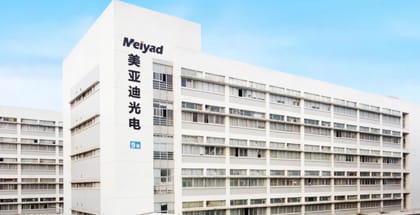
Shenzhen Meiyad Optoelectronics Co., Ltd., a professional LED display manufacturer with years of industry experience, will once again showcase its expertise and innovative LED display solutions at Integrated Systems Europe (ISE) 2027 in Barcelona, Spain.


As one of the world’s leading events for professional audiovisual and integrated systems, ISE provides an excellent platform for industry professionals to explore the latest technologies, exchange ideas, and build global partnerships. Meiyad will welcome visitors at Hall 5, Booth 5L100, showcasing its innovative LED display solutions and brand strengths to customers and partners from around the world.


ISE 2027 Invitation Letter


Founded in 2011, Shenzhen Meiyad Optoelectronics Co., Ltd. is a national high-tech enterprise specializing in the R&D, manufacturing, sales, and service of LED display products. With operation centers and manufacturing bases in Shenzhen and Panzhihua, China, Meiyad has established a global presence, exporting its LED display solutions to more than 120 countries and regions and delivering numerous successful projects worldwide.


As an experienced LED screen manufacturer, Meiyad has continuously participated in ISE for many years, using this international platform to connect with global professionals, understand market trends, and explore new opportunities for cooperation.


At ISE 2027, Meiyad aims to connect with professional visitors including LED display distributors, system integrators, event solution providers, and engineering companies. Through face-to-face communication and product demonstrations, Meiyad looks forward to sharing its expertise, discussing industry needs, and building long-term partnerships with customers worldwide.


“ISE has always been an important platform for Meiyad to engage with the global LED display industry. We look forward to meeting our partners and presenting our latest innovations and capabilities at ISE 2027,” said a representative of Meiyad.


Visit Meiyad at Hall 5, Booth 5L100 during ISE 2027 and discover how our professional LED display solutions can support diverse applications and create new possibilities for global projects.


Event Information

Event: Integrated Systems Europe (ISE) 2027

Date: February 2–5, 2027

Venue: Fira de Barcelona Gran Via, Barcelona, Spain

Booth: Hall 5 – 5L100


You May Also Like

Immersive Virtual Driving Simulator at Kunming University | P0.93 MIP Flexible LED Display

17|11|2026

Immersive Virtual Driving Simulator at Kunming University of Science and Technology Powered by P0.93 MIP Flexible LED Display

Bringing a More Realistic Driving Experience to Virtual SimulationWe are pleased to showcase one of our latest LED display projects at Kunming University of Science and Technology, Yunnan, China — an immersive virtual driving simulator powered by our advanced P0.93 MIP flexible LED modules.Designed to deliver an expansive and visually engaging driving environment, this project features a large-format LED display surrounding the driver's field of view. Combined with a physical driving simulator, the installation creates an immersive visual environment that brings virtual urban driving scenarios closer to reality.With a total display area of 41.9 square meters and an ultra-high resolution of 11520 × 3200 pixels, this LED display solution provides a detailed panoramic visual experience for virtual driving applications.Project Overview: An Immersive Driving Simulation EnvironmentThe project is located at Kunming University of Science and Technology in Yunnan Province, China. It features a large curved LED display installed behind and around the driving simulator, presenting a wide virtual road environment for the driver.As shown in the installation, the display presents a realistic urban driving scene, including roads, intersections, buildings, traffic markings, and surrounding city environments.The panoramic visual presentation helps create a more engaging simulation space, allowing users to experience a virtual driving environment from the perspective of a real driver.Unlike conventional flat-screen simulation setups, the large-format curved display provides an extended viewing area, making it an ideal visual solution for immersive driving simulators and other interactive simulation environments.P0.93 MIP Flexible LED Modules: High-Resolution Visual PerformanceAt the heart of this project is our P0.93 MIP flexible LED module solution, selected for its fine pixel pitch and suitability for high-resolution indoor display applications.With a pixel pitch of just 0.93mm, the LED display delivers a highly detailed image across the entire screen. This is particularly important in immersive simulation environments, where viewers may be positioned relatively close to the display.The high pixel density supports the presentation of detailed virtual scenes, helping make road markings, buildings, intersections, and other visual elements appear clear and well-defined.The MIP (Micro LED in Package) technology-based module solution also represents an advanced approach to fine-pitch LED display design.Combined with the large panoramic display structure, the P0.93 MIP flexible modules provide the visual foundation for this immersive virtual driving project.Impressive Display SpecificationsTo meet the visual requirements of this immersive simulation environment, the LED display was configured with a large screen size and high overall resolution.Key project specifications:Project: Immersive Virtual Driving SimulatorLocation: Kunming University of Science and Technology, Yunnan, ChinaProduct: P0.93 MIP Flexible LED ModulesTotal Display Size: 12.288m × 3.41m=41.9㎡Screen Resolution: 11520 × 3200 pixelsApplication: Immersive Virtual Driving SimulationThe resolution of 11520 × 3200 pixels provides an extensive visual canvas for displaying virtual driving environments in fine detail.With a screen width of 12.288 meters, the display creates a broad panoramic viewing experience that complements the physical driving simulator and its surrounding equipment.Expanding the Possibilities of LED Displays in Simulation ApplicationsHigh-resolution LED displays are becoming an important visual component in immersive simulation environments.From virtual driving and transportation training to flight simulation, education, and interactive exhibitions, large-format LED screens offer flexible possibilities for creating realistic visual environments.For virtual driving applications in particular, a wide display area and fine pixel pitch can help provide a more continuous and detailed visual presentation.This project at Kunming University of Science and Technology demonstrates how fine-pitch MIP LED display technology can be integrated into an immersive driving simulation environment, combining a large panoramic screen with a physical driving simulator.Delivering Professional LED Display Solutions for Immersive ApplicationsWe continue to develop and deliver LED display solutions for a wide range of professional indoor applications, including immersive simulation, education, command centers, exhibition spaces, and commercial visual environments.Our P0.93 MIP flexible LED screen solution offers a fine-pitch display option for projects requiring high-resolution visual presentation.The Kunming University of Science and Technology virtual driving simulator is another example of how advanced LED display technology can help create engaging and immersive visual experiences.We look forward to bringing more innovative LED display solutions to education, simulation, and other professional application fields.

LED CAVE Immersive Space: Technology, Design & Selection Guide | Meiyad

12|11|2026

LED CAVE Immersive Spaces: A Complete Guide to Technology, Design & Applications

LED CAVE immersive spaces are one of the most representative multi-surface immersive solutions. By surrounding viewers with large display surfaces, they create an enveloping visual environment in which visitors can step into a virtual scene without wearing a VR headset. They are widely used in science and education venues, industrial simulation, experiential learning, museum exhibitions, and digital museums. Drawing on the fundamentals, technical approaches, and application scenarios of immersive spaces, Meiyad has put together this comprehensive selection guide. It covers the basics, application planning, solution comparisons, hardware selection, implementation considerations, and frequently asked industry questions to support early-stage project evaluation and final solution planning. What Is a LED CAVE Immersive Space? An immersive space is a virtual environment created through technology. Users enter the environment and interact with it using dedicated equipment. These spaces offer a high degree of realism, strong interactivity, and broad applicability, making them suitable for exhibition halls, museums, education, training, cultural tourism, and entertainment. CAVE (Cave Automatic Virtual Environment) is a classic form of immersive space. It creates an enclosed visual environment using three, four, or even five surrounding display surfaces. Combined with synchronized visuals, spatial audio, and interactive systems, it delivers a highly realistic, enveloping visual experience. Define the CAVE Space Around Your Application Requirements for CAVE structure, brightness, interactivity, and resolution vary significantly by application. The first priority when selecting a solution should be to match it to the intended use. Education and Training | Virtual Laboratories Common applications include science experiments, engineering training, and medical education. Key requirements include clear image details, real-time interaction, and the ability to switch between simulation scenarios repeatedly. A high-resolution solution is recommended, paired with gesture recognition and position-tracking interaction to support collaborative use by multiple participants. Museums | Cultural Heritage Exhibitions Typical applications focus on recreating historical scenes, presenting digitized cultural artifacts, and sharing cultural knowledge. Color accuracy and atmosphere are important, alongside visual appeal and operational stability. AR (augmented reality) and glasses-free 3D content can also be incorporated to strengthen cultural storytelling. Industrial and Scientific Simulation Used for oil and gas applications, equipment simulation, and operational scenario walkthroughs, these projects place the highest demands on geometric image correction, display synchronization, and long-term operational stability. High-refresh-rate, low-latency display solutions are recommended. Display Solution Comparison: Projection-Based CAVE vs. Meiyad LED CAVE Comparison Projection-Based CAVE Meiyad LED CAVE Display Technology DLP laser projection for professional applications, using rear- or front-projection blending. Fine-pitch, modular, self-emissive LED panels (P0.9 / P1.2 / P2). Brightness Measured screen brightness is approximately 80–300 nits. Performance depends heavily on screen gain and projection distance. Contrast drops rapidly when ambient light exceeds 50 lux. Typical indoor configuration: 600–1,200 nits. Brightness is not directly washed out by ambient light, so images remain clear under standard exhibition-hall lighting. Contrast Native contrast is approximately 1,000:1–4,000:1. Projection halos and gray-looking blacks may be present. Typically ≥5,000:1. Each pixel controls its own light output, delivering clean blacks without halo interference. Refresh Rate Limited by the projector. 240 Hz is common; high-refresh-rate models are more expensive. Typically ≥3,840 Hz, readily supporting 120 Hz real-time rendering and making it suitable for low-latency interactive simulation. Ambient-Light Compatibility Sensitive to strong light and requires a fully darkened room. Natural light can wash out images and reduce visual depth. Self-emissive, so it can be used in exhibition halls and atriums with normal ambient lighting. Suitable for science centers and open exhibition spaces. Image Joining Multi-channel blending creates visible blend zones. Color shifts and loss of focus may develop over time. Seamless modular assembly. Right-angle and curved configurations can be customized; trapezoidal corner modules can reduce alignment issues at joins. Service Life Laser light sources: 20,000–30,000 hours. Mercury lamps: only 2,000–5,000 hours and are consumables. LED modules: 60,000–100,000 hours (half-life). No regular light-source replacement is required. Maintenance Requires regular light-source replacement, optical-path cleaning, and repeated blend-zone adjustments, resulting in substantial maintenance work. Individual modules can be replaced independently. Front-service design is suitable for venues operating at high frequency throughout the year. Audio Integration Projection screens are not acoustically transparent, so speakers must be installed separately and may obstruct the image. Acoustically transparent LED modules are available. Speakers can be concealed behind the display for an integrated audio-visual experience and a cleaner appearance. Selecting the Number of LED CAVE Surfaces and the Space Dimensions Choosing the number of surrounding surfaces based on the venue size and visitor capacity is a key part of system selection. Three-Sided LED CAVE (Front + Left + Right) The most widely used configuration, with a moderate footprint. Suitable for most exhibition halls and virtual classrooms; accommodates 5–15 people. Four-Sided LED CAVE (Front + Left + Right + Floor) Adds synchronized floor visuals for a stronger sense of immersion. Suitable for virtual exploration and historical scene recreation. Five-Sided LED CAVE (Front + Left + Right + Ceiling + Floor) A fully enclosed solution that maximizes immersion. Commonly used for flight simulation and exploration, industrial simulation, and premium science centers. Acoustically transparent configurations can be customized. Pre-Selection Checklist Check the on-site ceiling height and the length and width of the venue, then calculate the dimensions of each display surface. Review viewing distances and visitor positions. Plan viewing angles in advance to avoid severe distortion. Structural loading: Large LED CAVE installations require advance structural calculations for the steel framework. Coordinate with a building structural engineer. Selecting the Interactive System Interactive capabilities directly influence what a project can achieve. Select interactive equipment according to the project’s needs. Gesture Recognition: Enables touch-free experiences and is a strong choice for museums and science exhibitions. Visitors can switch scenes with a wave of the hand. Voice Recognition: Triggers scene changes and automated narration through voice commands; suitable for educational visits and guided presentations. Position Sensing / Spatial Tracking: Enables multi-user positioning and interactive exploration; suitable for virtual laboratories and industrial simulation. Haptic Feedback and Motion Platforms: Can be paired with motion seats for cultural-tourism cinemas and flight-simulation experiences. Selection Note: Interactive devices must be jointly commissioned with the rendering workstation and synchronization system. Compatibility varies considerably across brands. An integrated solution from a single provider is preferable to reduce integration issues later. Key Hardware Parameters: Reference Checklist Parameter Recommended Specifications and Considerations Resolution For standard exhibition spaces, at least 2K per channel is typical. 4K is recommended for scientific simulation and high-precision demonstrations. Multi-surface CAVE systems must be equipped with a synchronized rendering cluster to keep all images aligned and free of tearing. Refresh Rate At least 60 Hz. For simulation and high-speed exploration, ≥120 Hz is recommended to reduce the risk of motion sickness. Latency Latency is a key consideration for interactive projects. The lower the latency, the smoother the response to gestures and position tracking. Color Museum and science-exhibition projects require a wide color gamut and good image uniformity. Synchronization System A multi-surface image synchronizer is essential for CAVE. Unsynchronized images can seriously undermine the immersive experience. Practical Tips for Avoiding Common Selection Pitfalls 1. Decide on the Venue First, Then Choose the Solution If the exhibition hall cannot be fully darkened, do not choose a projection-based CAVE; prioritize LED CAVE. 2. Consider Operational Frequency and Visitor Traffic For venues with high visitor traffic and year-round, frequent operation, prioritize LED solutions to reduce maintenance associated with light-source replacement and blend-zone adjustments. 3. Consider Audio Requirements If high audio standards are required, prioritize an acoustically transparent LED CAVE. Concealed speakers help preserve the integrity of the surrounding visual environment. 4. Plan Content in Parallel with the Display System Projects often experience content delays after the display structure is completed. Bring the content team into the process during the selection stage and produce media according to the CAVE aspect ratio and distortion requirements. 5. Evaluate the Provider's Integration Capabilities An immersive LED CAVE is more than several screens joined together: it requires integrated expertise in geometric correction, multi-system synchronization, structural engineering, acoustics, and interaction. Prioritize suppliers with proven delivery experience in comparable exhibition, science, and education projects. Frequently Asked Technical Questions Q1. How Can Visual Distortion Be Reduced? Distortion mainly comes from corner joins, unsynchronized images, and misaligned module seams. In practice, it is controlled in four main ways. 1. Off-Axis Perspective Pre-Correction (The Key Step) Use the primary viewing position to generate an off-axis viewing frustum. The rendering engine applies mesh warping to the image on each display surface in advance, pre-distorting the image to compensate for perspective stretching at the corners and maintain a correct view from the reference position. LED CAVE systems also require this correction; simply assembling the screens does not automatically eliminate distortion. 2. Hardware Calibration and Color Blending Projection-based CAVE systems use automatic camera calibration and edge blending to eliminate trapezoidal distortion in blend zones. LED CAVE systems can use custom trapezoidal corner modules to reduce visual misalignment caused by rigid seams. Brightness and color should also be matched to prevent differences in light and dark areas from amplifying perceived distortion. 3. Strict Frame Synchronization Synchronization cards and synchronized rendering clusters provide pixel-level image synchronization. Without synchronization, tearing or an apparent indentation at the corners may create the illusion of distortion. 4. Content and Visitor-Position Guidelines During content production, place key models near the center of the space and avoid positioning important objects at corner edges. Encourage visitors to remain within the calibrated optimal viewing zone; perspective errors become more noticeable as viewers move farther from the reference viewpoint. Q2. Is Motion Sickness Common? The likelihood of motion sickness in a CAVE is relatively low, but it cannot be eliminated completely. Situations More Likely to Cause Discomfort: Low refresh rates or high interaction latency. Rapid, intense movement through a scene. Unsynchronized displays or failed calibration. Fast-moving floor imagery that conflicts with the viewer's physical sense of foot movement. Ways to Reduce the Risk: Prioritize high-refresh-rate rendering at 3,840 Hz, control the speed of on-screen movement, ensure proper synchronization and calibration, and avoid rapid displacement animations in floor content. Q3. What Is the Difference Between a CAVE and a VR Headset? The key difference is that a CAVE is a shared physical immersive space that multiple people can enter without wearing devices, while a VR headset provides an individual experience for one wearer. Comparison LED CAVE Space VR Headset Viewing Method No head-mounted device is required; visitors can view the experience with the naked eye. A head-mounted display is required, with one device per user. Experience Format Three to six projection or LED surfaces create an enclosed or semi-enclosed 3D space that multiple people can enter and move around in. An individual immersive experience in which the user is surrounded by virtual imagery and isolated from the real environment. Interaction Relies on spatial positioning systems (such as infrared optical tracking or LiDAR) and gesture / motion-based interaction to make the scene respond to the user's movements. Relies on handheld controllers, head tracking, and positional tracking. Typical Applications Public display spaces such as corporate showrooms, museums, science centers, and nighttime cultural-tourism attractions. Personal gaming, simulation training, rehabilitation, and medical applications. Cost and Space Higher cost, ranging from hundreds of thousands to over one million RMB, and requires a larger physical space (30 m² or more is recommended). Relatively affordable and can be used in a dedicated space of just 3–5 m². Five-Sided Right-Angle CAVE + VR Headsets The two technologies are not mutually exclusive. They can be combined at both the technical and application levels. 1. A "VR Headset + LED CAVE Space" Combination In rehabilitation, for example, VR headsets can be used for near- and mid-range fine-motor training (such as fine upper-limb movements and cognitive integration), while the CAVE provides immersive outdoor 3D environments (forests, beaches, and countryside) to support full-body aerobic exercise. The two systems work together, with each serving a different stage of training. 2. Connecting VR Headsets to a LED CAVE In industrial simulation training, the LED CAVE system simulates the real operating viewpoint while also supporting the connection and synchronized display of multiple VR headsets. This makes it possible to demonstrate operators' virtual control processes and support synchronized group learning. The main view on a VR observation terminal can match the main view of the person performing the operation, enabling remote collaborative training. 3. Collaborative Design with 5G and the Industrial Internet In remote collaborative design, designers can use different terminals—including CAVE systems, head-mounted AR/VR devices, and portable 5G devices—to access the same immersive virtual environment and collaboratively modify 2D/3D design drawings. The technologies are integrated within the same system framework. Q4. What Is Required for Multiple People to Use an LED CAVE at the Same Time? An LED CAVE can support multiple people in the same space. There are two modes, and their requirements are very different. 1. Standard Shared Viewing Mode (The Mainstream Option for Exhibition Venues) Individual head tracking is not required. The system needs only synchronized rendering, calibrated images, sufficient space, and synchronized surround audio. Limitation: Perspective is correct only at the calibrated primary viewing position. Other visitors may see slight perspective deviations. This mode is suitable for watching films and science exhibitions, but not for simultaneous interaction by everyone. 2. Multi-User Mode with Independent, Precise Interaction (For Research / Industrial Simulation; Higher Cost) Each participant receives an independently rendered image with correct perspective. Required Equipment Includes: Multiple sets of optical tracking cameras. Tracking markers worn by each participant. A rendering workstation capable of parallel real-time rendering from multiple viewpoints. Independent viewport calculations. Most commercially stable solutions support independent tracking for only 2–3 users. As the number of users increases, computing costs rise rapidly. Selection Recommendation: For most science centers and exhibition venues, the most cost-effective option is to track one primary interactive user while allowing the others to observe. Q5. How Does an LED CAVE Create a Glasses-Free 3D Effect? Two concepts are easily confused and should be distinguished during solution selection. 1. Mainstream "Glasses-Free" CAVE Uses large surrounding displays to play specially produced content designed for multi-surface projection. The spatial sense of depth creates an immersive experience. This is also the mainstream approach for today's LED CAVE systems and is suitable for science and educational films in exhibition venues. 2. True Glasses-Free 3D CAVE (3D Visible Without Glasses) This is not a mainstream commercial solution. It generally uses viewpoint-array LEDs or projection-based light fields, parallax barriers, or retroreflective projection technologies. Hardware costs are very high, the effective viewing zone is very small, and most implementations remain at the laboratory stage, with few deployed projects. Important Note: To achieve a true glasses-free 3D effect in a CAVE, polarized or active-shutter 3D glasses are still required.

Send Your Inquiry Today

Factory Direct LED Screen - Fast Quote, Best Price!

Please enter your company name
Please accept the data protection information

I have read and understood the  data protection   information.