CN

×

keywords:

xxxx1 xxx2 xxx3 xx4 copy
Shenzhen Meiyad Optoelectronics Co., Ltd. Shenzhen Meiyad Optoelectronics Co., Ltd.

News

How Effective Are Commercial LED Screen Displays for Outdoor Advertising?

16
09
2025

Table of Contents

Outdoor advertising has evolved from static billboards to dynamic digital solutions. Among these, the commercial LED screen display has emerged as one of the most powerful tools for brand communication. Unlike traditional posters, LED screens offer flexibility, brightness, and interactivity, making them indispensable for businesses seeking higher visibility and stronger engagement. With brands like commercial display LED screen solution by Meiyad, companies now access high-performance indoor commercial LED screens and outdoor commercial LED screens designed to transform advertising effectiveness.

1. Why LED Screens Are Reshaping Outdoor Advertising

Outdoor environments present challenges such as weather conditions, high traffic, and varying viewing distances. Traditional media often struggles to adapt. By contrast, led displays for commercial use excel in delivering:

  • High brightness and clarity even under direct sunlight.

  • Dynamic content management, supporting instant campaign updates.

  • Stronger audience retention, with moving visuals capturing 4–6 times more attention than static signage.

For modern brands, this adaptability makes outdoor LED screens far more effective than conventional options.

indoor commercial LED screens

2. Measuring Effectiveness of Commercial LED Screen Displays

The value of a commercial display LED screen can be assessed across four dimensions:

  • Visibility: Wide viewing angles and superior brightness ensure content stands out in busy urban landscapes.

  • Engagement: Interactive features such as touch or AR integration enhance consumer participation.

  • Flexibility: Campaigns can be scheduled, changed, or localized in real time.

  • Return on Investment: Businesses report improved conversion rates and reduced long-term advertising costs compared to print media.

3. Outdoor vs. Indoor LED Screens – Complementary Roles

Although this article focuses on outdoor use, comparing indoor commercial LED screens highlights the broader ecosystem:

  • Indoor LED screens deliver ultra-high resolution, suitable for retail stores, conference rooms, and exhibition halls.

  • Outdoor LED screens prioritize durability, weather resistance, and long-distance visibility for public advertising.

Together, they form a complete communication chain—from attracting customers outdoors to creating immersive experiences indoors.

4. Meiyad’s Outdoor LED Screen Solutions

With 14 years of expertise in the commercial display industry, Meiyad provides tailored solutions that maximize advertising efficiency.

Creative Custom Design

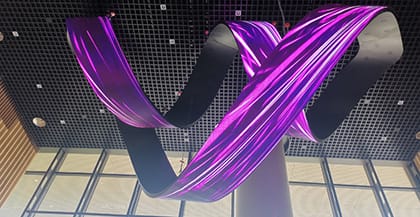
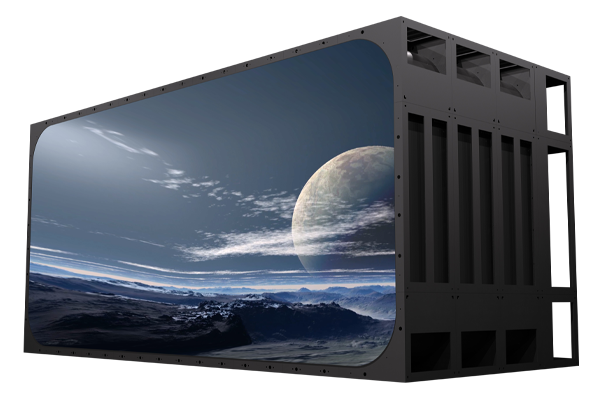
Commercial spaces often require unique screen structures. Meiyad supports special-shaped and curved designs, allowing LED displays to integrate seamlessly into shopping mall atriums, building façades, or transportation hubs.

Intelligent Interaction

Meiyad enhances commercial LED screen displays with AR/VR technologies, enabling immersive campaigns such as virtual fitting mirrors or interactive navigation for smart cities.

Energy Saving & Stability

Outdoor screens operate under demanding conditions. Meiyad’s low-power driver chips and intelligent brightness adjustment systems cut energy costs while optimized heat dissipation ensures stable 24/7 performance.

Multi-Screen Linkage

For brands managing multiple outlets, Meiyad supports synchronized content distribution across different locations. The integration of data visualization platforms further empowers advertisers to analyze performance and adjust strategies instantly.

outdoor commercial LED screens

5. Case Scenarios of Outdoor Effectiveness

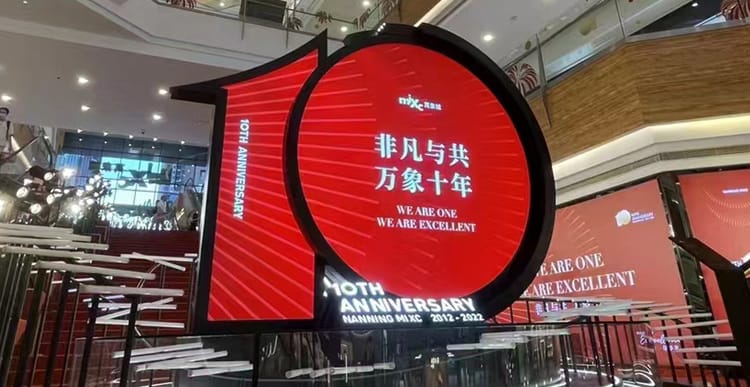
  • Retail and Shopping Malls: Large-format outdoor screens attract foot traffic and boost impulse buying.

  • Airports and Transit Hubs: Continuous content delivery reaches massive audiences, making it ideal for brand awareness.

  • Corporate Branding: Building façades transformed into LED displays strengthen corporate identity in urban landscapes.

  • Public Campaigns: Governments and institutions use outdoor LED screens for real-time information and safety messaging.

These examples highlight how outdoor commercial LED screens adapt to diverse environments and deliver measurable impact.

commercial LED screens

6. Overcoming Challenges

While effective, outdoor LED advertising faces some barriers:

  • Initial Investment: Higher upfront costs are balanced by long-term savings in printing and updates.

  • Content Freshness: Avoiding repetition is critical; Meiyad provides creative support to maintain engagement.

  • Regulations: Certified solutions (CE, LVD, FCC, CCC) ensure compliance across markets.

By addressing these issues, businesses can fully unlock the value of commercial LED screen displays.

Summary:

The question of how effective commercial LED screen displays are for outdoor advertising can be answered with evidence: they deliver unmatched visibility, dynamic content flexibility, and measurable ROI. Brands leveraging led displays for commercial use benefit not only from audience engagement but also from long-term cost efficiency. With commercial display LED screen by Meiyad, businesses gain access to cutting-edge indoor and outdoor commercial LED screens designed for creativity, interactivity, and reliability. As outdoor advertising continues to evolve, commercial LED screens are no longer optional—they are essential for any brand aiming to stand out in today’s crowded market.

You May Also Like

LED Display Screen Software Installation and Debugging Tutorial

20|05|2026

LED Display Screen Software Installation and Debugging Tutorial

Software Installation, Login & Screen ConfigurationDownload & InstallationOfficial website download:Visit NovaStar official website(www.novastar-led.cn or https://www.novastar.tech) → Support → Software Download, and download the latest version of NovaLCT (recommended v5.5.0 or above).Installation steps:I. Double-click the installation package.II. Use the default installation path.III. Complete installation.IIII. Disable antivirus software temporarily to avoid accidental blockingDevice ConnectionSynchronous System (Direct Network Cable Connection)Step 1: PC → Sending Card: Connect directly via USB cable; or Connect through the same LAN using network cable. (Default IP range: 192.168.0.xxx / 192.168.1.xxx)Step 2: Sending Card → Receiving Card: Cascade via network cables. Receiving card connects to the LED screen HUB board.Asynchronous System (WiFi Direct Connection)Step 1: Connect PC/mobile phone to the player box WiFi (Default SSID: AP + last 8 digits of SN, Password can be found on the device label); or connect through the same LAN.Step 2: Connect the player box to the HUB board (receiving card) and power on.Software LoginStep 1: Open NovaLCT,Click Login→Advanced Synchronous Login,Default password:666 or admin.Step 2: Successful connection message: "Control System 1, No Display Screen"; If connection fails, check wiring and check power supply.Smart ConfigurationStep 1: After login, enter Screen Configuration → Smart Settings.Step 2: Select Chip model, Decoding method, Module size (e.g. 172x86), click Next stepStep 3: Follow the screen instructions: Bright line direction→Color matching→Pixel-by-pixel calibration, generate configuration file (.scfg).Step 4: Click Send to apply parameters to the receiving card.Manual ConfigurationStep 1: Receiving Card Parameters: Enter Receiving Card → Port Configuration → Set width, height, number of data groups, and scan mode (e.g. 1/32 scan).Step 2: Sending Card Resolution: Enter Sending Card → Output Resolution → Enter actual screen resolution (e.g. 1920×1080) → Enable scaling → Click Send.Step 3: Load Configuration File: Supports local (.scfg/.zip) or cloud configuration files. Allows quick parameter reuse. [__LINK_ICON].Program Creation & Publishing (Asynchronous System)Pingjl Installation & OperationStep 1: Download Pingjl from the official website. Double-click the installation file and follow the Pingjl. After first launch, select "Asynchronous Playback" mode. Click "Start Now".Step 2: Open Pingjl and add devices: (Search LAN/WiFi devices, Default password: admin).Step 3: Create a new program: Program Management → New Program. Set resolution matching the screen.Step 4: Add media: Support Add media, Videos (MP4/AVI), Text, Clock, Weather forecast.Step 5: Edit attributes: Playback duration, Transition effects, Loop mode, Multi-layer overlay supported.Program PublishingStep 1: Select the program→Click Publish→Select target terminal→Confirm sending.Step 2: After successful publishing, the player box automatically loads and plays the program. If publishing fails, check network connection→Check device storage.Device Management, Maintenance & Firmware UpgradeFirmware UpgradeEnter Program Upgrade→Connect to the Internet, Select cloud upgrade, Choose corresponding sending card / receiving card firmware, Wait for completion, Do not power off during upgrade.Offline Upgrade:Import local firmware package (.bin), batch upgrade devices:Step 1: Login through "Login → Advanced Synchronous Login",enter password admin or 666. (For asynchronous products (JT/TB series), select Media Player Login)Step 2: Type "admin"or "666888" on the main interface.Step 3: Select communication port. If you need to reconnect the sending card, click "Reconnect".Step 4: Select the range to view, click "Refresh" to view the current software version of the hardware.Refresh All: View all sending/receiving card versions.Specified Refresh: View the software versions of the specified sending and receiving cards.PS: Simply click "Refresh All" on the screen to view the receriving card model and firmware version.Identifying Driver & Decoder Chips:Please refer to the information on the back of the module or on the packaging (you may also contact the relevant project manager for confirmation)Check IC markings on the back of the moduleObtain information according to the correct configuration file provided by the manufacturer:Step 1: In the "Screen Configuration" dialog box on the main LCT interface, select the "Receiving Card" tab.Step 2: Load the correct configuration file provided by the screen manufacturer from the local computer:a. Click "Load from Local";b. Select the configuration file and click "Open";c. After the file is successfully loaded, click "OK".Step 3: Click "View Cabinet" to check the information in the pop-up dialog box.Obtain the Corresponding Correct Firmware Program:You can directly access the public resources through the following links:Novastar Database http://gts.novastar.tech:6150/sharing/oLGDYny5ENovastar Overseas Database http://gts.novastar.tech:6150/sharing/CZRitU08hStep 1: Directly access the Nova database mentioned above.Step 2: From the homepage, follow the path:"Firmware Program > Receiving Card”to enter the receiving card model classification page.Step 3: According to the Nova receiving card model confirmed above, enter the corresponding receiving card page. The following examples use DH-LCE7516 / FS-LCE7516 / MRV416.Step 4: According to the confirmed driver IC and decoder IC used on the module, search for the corresponding firmware in the order of 1, 2, 3, and 5.(Option 4 is firmware for the 99-series chips, and 99-series chips can be searched directly.)OverviewUsing the example above, each folder contains the corresponding firmware and descriptions of the supported chips. You can check the descriptions to identify the driver IC and decoder IC used on your module, and then determine which firmware should be used.Based on the confirmed Nova receiving card model and the driver/decoder ICs used on the LED module, you can find the correct corresponding firmware.Screen MonitoringMonitoring → Device Status:Check temperature, voltage, network cable connection, signal source, and abnormal alarm notifications.Preset Screen: Tools → Preset Screen SettingsSet the display image when the signal is lost or disconnected (such as black screen or fixed logo).TroubleshootingUnable to connect to the deviceCheck USB/network cable, power supply, and IP segment; disable the firewall.Screen garbled/flickeringVerify receiving card parameters, network cable quality, and HUB board (receiving card) wiring; resend the configuration.Program playback abnormalCheck media format and resolution compatibility; restart the player box or republish the program.

Worldwide Distributors Wanted | Partner with Meiyad

23|03|2026

Worldwide Distributors Wanted | Partner with Meiyad

Are you looking to expand your business in the fast-growing LED display industry? Meiyad is now inviting global distributors and strategic partners to join us in delivering cutting-edge LED display solutions worldwide.With over 15 years of expertise and a strong global presence, Meiyad is committed to building long-term, win-win partnerships by offering reliable products, competitive pricing, and full-service support.Why Partner with Meiyad?Strong Manufacturing CapabilityMeiyad operates four advanced production bases, with a total workshop area of 360,000㎡ and an annual output of 20 million modules. This ensures stable supply, fast delivery, and consistent product quality for our partners.Established Brand & Global NetworkWith 15+ years of professional experience in LED display manufacturing, Meiyad has built a solid reputation in the industry.Coverage across 31 provinces and regions in the domestic market300+ domestic distributors and service partners10+ international agents worldwideWe are continuously expanding and welcome you to be part of our global network.Complete Product PortfolioWe offer a comprehensive range of LED display solutions to meet diverse market demands:Flexible LED screensCustomized creative LED displaysLED display modulesFine pitch LED displaysFixed indoor & outdoor LED screensTransparent LED screensRental LED screensAll-in-one conference LED displaysWhatever your market needs, Meiyad has the right solution.Competitive Pricing AdvantageWe provide high-quality products at competitive prices, empowering our distributors to stay ahead in the market, increase profitability, and grow their business globally.Integrated Industrial ChainOur vertically integrated production system includes:LED packagingPCB manufacturingModule productionInjection moldingThis ensures strict quality control, cost efficiency, and stable supply capacity.Advanced Digital FactoryMeiyad adopts a V4.0 industrial automation system with fully automated production lines, delivering:High production efficiencyConsistent product qualityReliable large-scale manufacturing capabilityComprehensive After-sales SupportWe provide end-to-end service to support your business:Pre-sales consultationSales supportAfter-sales service24/7 technical support hotlineOur professional team is always ready to assist you.Join Meiyad — Grow TogetherAt Meiyad, we believe in long-term partnerships and mutual success. By becoming our distributor, you gain access to premium products, strong technical support, and a trusted brand that helps you stand out in your local market.Contact us today to explore partnership opportunities and become part of Meiyad’s global success story.

Send Your Inquiry Today

Factory Direct LED Screen - Fast Quote, Best Price!

Please enter your company name
Please accept the data protection information

I have read and understood the  data protection   information.